

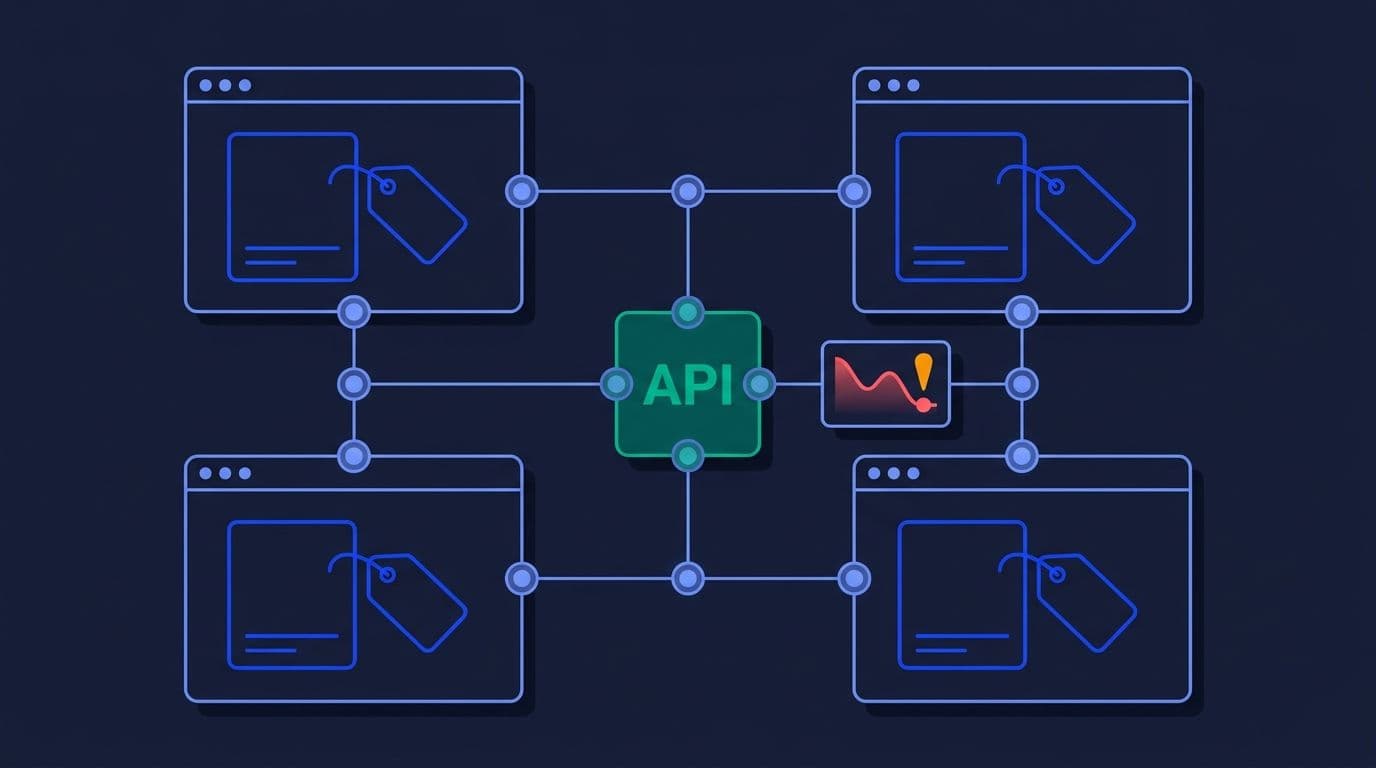
Ecommerce competitor price monitoring means pulling competitor product prices, stock status, and promotion context on a schedule. You normalize that data and feed it into a system that does something useful with the difference. The hard part isn't fetching a page. It's building something that survives multiple retailers, tells a real price cut apart from a weekend promo, and connects the number to your actual margin.
Getting that system right matters more than most teams expect going in, because the pitfalls that kill these projects tend to show up months after launch, not on day one. Below is what a practical setup looks like for a team that would rather ship than babysit proxies.
Start With Fewer Products Than You Think
The instinct is to track everything. Resist it. Monitoring the top ten bestselling products in a category gives you nearly all the signal that tracking the full catalog would, at a fraction of the request volume and maintenance effort. Tracking every SKU burns credits and attention without a proportional payoff, because most of your catalog isn't price-elastic enough for a competitor's move to matter.
There's a practical breaking point worth knowing about before you design anything. Manual, spreadsheet-based tracking tends to break down once the list grows past what one person can realistically check every day. A spreadsheet handles thousands of rows fine, but what fails is human. People stop opening the sheet every day. Once the daily check becomes a chore someone skips, the data goes stale and the whole exercise quietly dies. Manual price checking works at a handful of products and falls apart past that, which is the real argument for automation, not raw volume.
So scope the first build around a short, high-value list. Pick the products where a competitor's price change actually changes your decision, then expand later, once the pipeline is boring and reliable. Teams that start with 1,200 ASINs on day one almost always end up with 1,200 rows of data nobody looks at, and a scraping bill that outpaces the insight.
The Data You Need Is Not Just the Price
A price-only feed is close to useless. If a competitor's listing drops below yours but shows out of stock, that isn't a price cut you need to match. It's a listing you should be winning on availability instead. If the price drops and the Buy Box flips to a different seller, that's a marketplace dynamic, not a strategic move by the brand you're tracking.

At minimum, capture per observation:
- Current price and any strike-through or list price shown
- Currency and the locale the page was rendered for
- Stock status and any shipping-delay language
- Seller or merchant identity, where the page exposes it
- Promotion badges, coupon text, and bundle indicators
- Observation timestamp in UTC
- The page URL and a content hash for change detection
Stock status and promotion context are what separate a monitoring system from a number scraper. Most free and mid-range change detection tools tell you that something on a page changed, but not what the change means for your business, so you still open the page yourself and work it out. Capturing the surrounding context at scrape time is how you avoid that manual step later.
The same logic applies to the review side of a listing. Price moves and rating shifts often travel together. If you're already pulling the product page, our walkthrough on how to scrape Amazon reviews covers the structure of that data and what to do with it.
Telling a Real Price Cut From a Temporary Promotion
This is the sub-problem most price scraping api projects skip, and it's the one that makes your alerts trustworthy or worthless.
A genuine price reduction and a 72-hour flash promotion look identical in a single snapshot. Both show a lower number. The difference lives in the time series and the page context, so your pipeline has to be built to see both.
Three signals do most of the work:
Duration. A promotional price reverts. A repricing holds. If you store every observation rather than just the latest value, you can classify a drop retroactively once it has persisted across enough consecutive checks. Set your own hold threshold per category, since fast-moving consumer goods behave differently from appliances.
Page markers. Promotional pricing usually announces itself with a deal badge, a countdown, or a coupon checkbox. A structured extraction that captures those fields gives you a classification signal for free. A regex over raw HTML gives you a maintenance problem.
Reference price behavior. If the list price stays put and only the sale price moves, that's promotional. If the list price itself drops, the merchant has repriced. Capture both fields separately, always, even when they're equal.
Build the classifier as a distinct stage that reads from your observation store, not as logic jammed into the scraper. Scrapers break and get rewritten. Classification rules get tuned weekly. Keeping them apart means you can change your promotion heuristics without touching extraction code, and you can reclassify historical data when you improve the rules.
How to Avoid Scraping Bottlenecks Across Several Retailers
Here's the failure mode nobody warns you about until you're in it. A single web scraping API provider becomes the bottleneck the moment you scrape more than one retailer. Performance and cost vary a lot across domains. A provider that handles Amazon well could be slow and expensive against a regional grocery chain, or fine on a Shopify storefront and useless against a site sitting behind aggressive bot management.

That variance compounds. You tune your concurrency for the slowest domain, so the fast ones crawl. Or you tune for the fast ones and your retry queue fills with timeouts from the hard target. Either way, one retailer sets the ceiling for the whole pipeline.
The fix is architectural, not vendor-shopping. Three things to put in place:
Isolate per-domain workers. Give each retailer its own queue, its own concurrency limit, and its own retry policy. A stall on one domain should never block another. This is cheap to build and it's the single highest-leverage decision in the system.
Keep extraction behind a stable interface. Your scheduler calls fetch(url, domain_profile) and gets back a normalized record. Whether that call goes to a price scraping api, a headless browser you run yourself, or a retailer's own affiliate feed is an implementation detail behind that interface. When one route degrades, you swap the route, not the pipeline.
Measure cost and success rate per domain, not in aggregate. An overall 94% success rate hides the fact that one retailer is at 60%. Track credit spend per successful record per domain. That number tells you where to invest engineering time and where to just pay for a better route.
On cost predictability, DataBlue shows endpoint weights before each run, so you know what a call costs before you make it rather than reconciling an invoice after. Failed requests that return no data don't consume a credit, which matters more than it sounds when you're hammering a difficult retailer and eating retries. Top-up credits never expire, and monthly plan credits reset each period.
Choosing Your Data Route: Build, Buy, or Both
The build-versus-buy question for competitor price tracking software has a boring answer that happens to be correct. Buy the fetch layer. Build the logic layer.
Writing a scraper is an afternoon. Keeping it alive is a permanent job. Proxies rotate out, CAPTCHA flows change, JS rendering requirements shift, and anti-bot defenses keep getting stricter. None of that work differentiates your product. All of it is on fire whenever a retailer ships a redesign.
What you should build in-house is everything downstream of the HTTP response. That means scheduling, normalization, promotion classification, margin math, and alert routing. That's where your business logic lives and where an off-the-shelf automated price monitoring tool will never fit your assumptions.
That said, be honest about what a scraping API does and doesn't cover. We provide the SERP and scraping piece, not a full proxy network or a pre-built dataset catalog. No vendor, including us, can guarantee block-free scraping on every site in every case, and you should treat any vendor claiming otherwise as a flag. You also need to check the target site's terms and the applicable law in your jurisdiction before you scrape it. A technical capability isn't a legal clearance.
There's a real mid-market gap here too. Budget change-detection tools cap out fast. A free tier might give you a couple hundred checks a month across a handful of pages on a daily interval, fine for watching a competitor's pricing page and nothing more. Meaningful interpretation on those platforms often sits behind an annual contract priced for enterprise buyers. Teams tracking a few hundred SKUs are stuck between a toy and a procurement process. Assembling your own from a metered price scraping api is usually how that gap gets closed, with plans starting at $29/mo for 40,000 credits and running up to $299/mo for 1,150,000 credits, no minimums or annual contract.
A Practical Setup Using the Extract API
Here's the shape of a working pipeline. The scheduler reads a watchlist, enqueues jobs per domain, calls the Extract API for each product URL with a schema describing the fields you want, and writes one immutable observation row per successful response.

Example, a request that pulls a product page into structured JSON rather than raw HTML:
curl -X POST https://api.datablue.dev/v1/extract \ -H "Authorization: Bearer YOUR_API_KEY" \ -H "Content-Type: application/json" \ -d '{ "url": "https://example.com/product/12345", "formats": ["json"] }'You should get back a structured object for that page instead of a wall of markup you'd have to parse with selectors. Exact parameter names, schema options, and response fields are in the documentation. See the docs.
Two design notes on that call. First, request structured JSON with a strict schema instead of scraping markdown and regexing it. Brittle CSS selectors are the number one reason these pipelines break silently, since the selector matches something, just not the right thing, and you log a wrong price without an error. A validated schema fails loudly, which is what you want.
Second, every request runs live. There's no cached result served back to you, which matters because a price snapshot from six hours ago isn't real-time price intelligence. It's history wearing a timestamp. If you're building Amazon-specific extraction, the field-level detail is covered in our guide on how to scrape Amazon product data.
Store observations append-only. Never update a row with a new price. Your promotion classifier, your margin reports, and your "why did we drop our price in March" postmortem all depend on having the full series.
Connecting Price Data to Margin and Cash
Raw price snapshots are the input, not the output. Teams running serious catalogs, well past a thousand ASINs, consistently find that the data only earns its keep once it joins to downstream profitability metrics. That means real margin per SKU after fees and fulfillment, plus cash conversion timing.
The join is straightforward and almost nobody does it at the start. For each tracked product, hold your landed cost, marketplace referral fees, fulfillment cost, return rate, and shipping subsidy. Then compute margin at the competitor's current price, not just at yours.
The question that actually drives action isn't "did they drop their price." It's "if we match this, what's left, and how long until the cash comes back." That reframing changes your alerting completely. Instead of firing on every price delta, you fire when matching a competitor would push a SKU below your margin floor, or when a competitor's drop opens room for you to raise. The first kind of alert is noise. The second kind gets read.
It also changes how you prioritize scraping budget. Products where a price move has large margin consequences deserve more frequent checks. Products with thin, stable margins can run on a slower cadence. Let the margin model drive the schedule and your credit spend goes where it earns something, which is the whole point of a dynamic pricing strategy that ecommerce teams can actually defend in a planning meeting.
Manual Workflows for Small Teams on a Budget
Not every team should build a pipeline. If you're tracking a dozen products and have no engineer to spare, a disciplined manual process beats a half-finished scraper every time.

What works: a short, fixed list of high-value products, checked on a set weekly cadence rather than ad hoc. Pair that with a small paid sample of twenty to thirty valuable keywords checked weekly, plus Google Search Console data you already have. That combination gives you price context and visibility context without any infrastructure.
The honest limit of this approach is the one described earlier. It stops working once the list grows past the point where someone will reliably open the sheet. The failure is behavioral, so the fix is behavioral too. Assign one owner, fix the day, and keep the list short enough to finish in one sitting.
A middle path exists for technically-inclined solo operators. You can automate a logged-in browsing session with an extension, spreading requests across a full day at intervals of several seconds, to gather competitor data at low volume without a scraping stack. It's slow, it's fragile, and it ties up a browser profile, but for a weekend project it works. Just don't try to scale it. Session-based scraping degrades badly the moment you need more than a trickle of requests.
Monitoring Visibility, Not Just Price
Price is one axis of competitive position. Where your products show up is the other, and discovery has fragmented enough that search rank alone no longer covers it.
Buyers now start product research in AI assistants as often as in search engines. That means a competitor can be winning recommendations in ChatGPT and similar tools while your rank tracker shows nothing wrong. Monitoring that requires a different data source: real-time SERP results, scraped live across locales, plus periodic checks of what AI tools actually say when asked to recommend products in your category.
The Google SERP API covers the search side, with coverage across 100+ countries localized by city, language, and device. It's not every micro-locale on earth, so if you need a specific small market, check coverage before you build on it. RankMax runs its SEO rank-tracking layer on that API, and teams migrating from other providers generally find the move fast, since the response schema is Firecrawl-compatible and the mapping work stays shallow.
Pairing price monitoring with visibility monitoring in the same warehouse turns two dashboards into one story. This competitor cut prices, and three weeks later they took the top three organic positions for your head terms.
Operational Details That Decide Whether This Survives
A few things separate pipelines that run for years from ones that quietly rot:

Alert on absence. If a domain returns zero successful records for a scheduled window, that's an incident. Silence is the most common failure signature, because a broken scraper rarely throws. It just returns nothing and your dashboard shows a flat line you mistake for price stability.
Version your extraction schemas. When you change a schema, write the version into every observation row. Otherwise, six months of data becomes unanalyzable because you can't tell which rows came from which parsing logic.
Keep the raw payload for a window. Store the raw response alongside the parsed record for a limited retention period. When a classification looks wrong, you want to see what the page actually said.
Respect the target. Spread requests, honor sensible intervals, and don't hammer a retailer at the top of every hour alongside everyone else's cron job. Politeness is also an availability strategy.
On compliance, a straight answer: we don't hold SOC 2 Type II or ISO 27001 today. Both are on the roadmap. Support runs through Slack, with a 30-minute median first response on priority plans, not a named CSM or a 24/7 phone line. If your procurement process requires either of those today, that's worth knowing before you build.
Start Building
Scope to your top products, capture stock and promotion context alongside price, classify promotions as a distinct stage, isolate retailers behind per-domain workers, and join everything to margin before you route a single alert. That's the whole system, and the scraping is the easy part once the rest is right.
DataBlue gives you the fetch layer for it: live Extract API calls, structured JSON output, visible endpoint weights, and no charge for requests that return no data. More than 2,400 developers have built on it. You can see the full lineup on our APIs page.
Get Your API Key, 1,000 one-time signup credits, no credit card. Or book a 30-min demo if you'd rather walk through your setup with us first.
Frequently Asked Questions
How many products should I track for competitor price monitoring?
Start with fewer products than you think, focusing on the top ten bestselling products in a category, which gives you nearly all the signal without proportional request volume and maintenance effort. Most of your catalog isn't price-elastic enough for a competitor's move to matter, and tracking every SKU burns credits without proportional payoff.
What data should I collect besides competitor prices?
At minimum, capture current price, strike-through or list price, currency and locale, stock status and shipping delays, seller identity, promotion badges and coupon text, observation timestamp in UTC, page URL, and content hash. Stock status and promotion context are what separate a monitoring system from a simple number scraper.
How do I tell the difference between a real price cut and a temporary promotion?
Three signals work best: duration (promotional prices revert while repricing holds), page markers (deals usually show badges or countdowns), and reference price behavior (if only the sale price moves, it's promotional; if the list price itself drops, the merchant has repriced). Store every observation rather than just the latest value to classify drops retroactively once they persist across enough consecutive checks.
What should I build myself versus buy for price monitoring?
Buy the fetch layer because writing and maintaining a scraper is a permanent job with changing anti-bot defenses and retailer redesigns that don't differentiate your product. Build the logic layer in-house, including scheduling, normalization, promotion classification, margin math, and alert routing, which is where your business logic and assumptions live.
How do I avoid bottlenecks when scraping multiple retailers?
Give each retailer its own queue with its own concurrency limit and retry policy so a stall on one domain never blocks another. Keep extraction behind a stable interface and measure cost and success rate per domain, not in aggregate, so you can spot when one retailer is performing poorly and adjust your strategy accordingly.