


Amazon is a goldmine of structured commercial data. Pricing intelligence, review sentiment, and category rankings all sit behind a public URL. The problem isn't that the data is hidden. The real issue is that Amazon actively fights anyone trying to collect it programmatically at scale.
Maybe you've written a scraper that worked beautifully on your laptop. Then it died in production three days later. You already know the pain. This guide walks through how to scrape Amazon product data the hard way with raw Python, explains why that approach breaks, and shows a resilient alternative using DataBlue's API. We'll look at real code on both sides. That way you can make an informed build-vs-buy decision.

The High-Stakes World of Amazon Web Scraping
Amazon is the boss level of web scraping. Every scraping tutorial uses it as an example. It's also the site every engineer quietly dreads shipping to production.
The trap is that it looks easy. Load a product page in your browser, right-click, and hit "View Source." You'll see plain server-rendered HTML with product titles and prices sitting right there in the DOM. It feels like a five-minute job with requests and BeautifulSoup.
But Amazon is a moving target. The HTML you see is version-controlled against your session, your geography, and Amazon's anti-bot heuristics. A selector that returns a clean price today returns None tomorrow. A script that runs fine ten times gets a CAPTCHA on the eleventh. We'll build the naive version, diagnose why it fails, and then implement something that survives contact with production. Start by understanding the blockers below.
The Hard Truths of Scraping Amazon From Scratch
It's worth understanding the technical blockers before you write a single line of code. These turn a "quick scraper" into a permanent maintenance burden. Amazon web scraping fails for four distinct reasons. Each one compounds the others.
Anti-Bot and CAPTCHA Walls
Amazon runs one of the most sophisticated anti-bot stacks on the public internet. It fingerprints TLS handshakes and scores request cadence against known-human baselines. Your traffic looks programmatic when headers are identical, and requests fire faster than a human could click. Then you get thrown into a challenge loop.
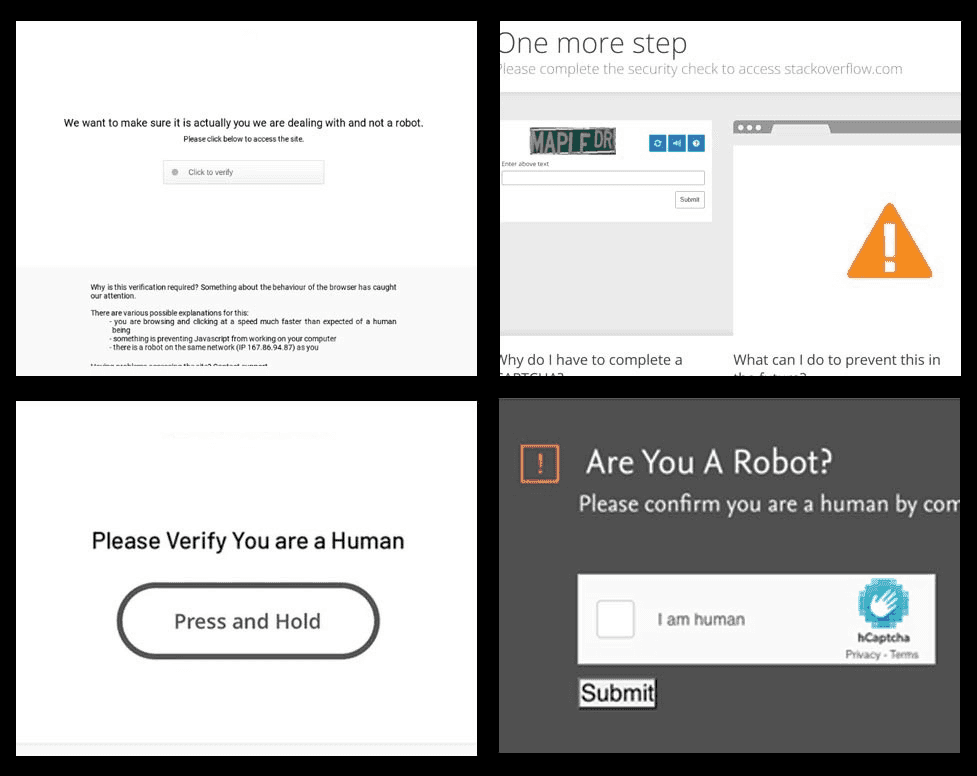
The classic symptom is the "Sorry, we just need to make sure you're not a robot" page. A raw 503 Service Unavailable is another. Once you're flagged, even valid requests from that IP keep failing. Test your setup against a fresh IP before scaling anything up.
The Fragile DOM
Amazon continuously A/B tests its layouts and rotates class names. The price might live in .a-price-whole today or .a-offscreen in a different experiment bucket. Your tuned CSS selectors are effectively hard-coded against a DOM snapshot Amazon has no obligation to preserve. Every layout experiment is a silent data outage for your pipeline. Build in schema checks so you catch these breaks early.
Geographic Localization and Address Matching
This is the blocker most developers underestimate. Amazon changes inventory, pricing, and buy-box winners based on the visitor's IP and delivery ZIP code. Scrape amazon.in through a US datacenter proxy, and you'll get inconsistent results or a redirect.
Accurate hyper-local pricing takes real work. Think INR pricing for a Mumbai ZIP code versus USD for Manhattan. You need geotargeted residential proxies plus manipulating the glow location cookies Amazon uses to pin an address. Doing this dependably across thousands of requests is genuinely hard. Most teams burn days here before realizing the scope. Map out your target geographies first, then decide whether an in-house proxy setup is worth the effort.
Infrastructure Costs
You need rotating residential proxies to fight all of the above. Those are priced per gigabyte. A headless browser cluster running Playwright or Puppeteer renders JavaScript and passes fingerprint checks. A paid CAPTCHA-solving service often sits on top of that.
Add the engineering hours to orchestrate, monitor, and repair all of it. A "free" in-house scraper quickly costs more than a purpose-built data API. Price out these line items before committing to a from-scratch build.
The "Fragile" Python Way (Educational Example)
Let's respect the search intent for scrape amazon python and look at how most developers start. Here's a straightforward requests and BeautifulSoup script targeting a search results page.
import requestsfrom bs4 import BeautifulSoup# A realistic browser header setheaders = { "User-Agent": ( "Mozilla/5.0 (Windows NT 10.0. Win64. x64) " "AppleWebKit/537.36 (KHTML, like Gecko) " "Chrome/120.0.0.0 Safari/537.36" ), "Accept-Language": "en-US,en. q=0.9", "Accept": "text/html,application/xhtml+xml,application/xml. q=0.9,*/*. q=0.8",}url = "https://www.amazon.com/s?k=mechanical+keyboard"response = requests.get(url, headers=headers)soup = BeautifulSoup(response.text, "html.parser")# Attempt to parse each product cardfor card in soup.select("div[data-component-type='s-search-result']"): title_el = card.select_one("h2 a span") price_el = card.select_one(".a-price-whole") asin = card.get("data-asin") title = title_el.get_text(strip=True) if title_el else None price = price_el.get_text(strip=True) if price_el else None print(f"ASIN: {asin} | Title: {title} | Price: {price}")On the first run from a clean residential IP, this might actually work. You'll see a handful of ASINs and prices scroll past. It feels like a win. Run it a hundred more times and watch what happens.
The Analysis of Failure
Now run it in a loop 100 times, or deploy it to a cloud server. Then watch it disintegrate:
- Datacenter IP bans. Cloud provider IP ranges are pre-flagged. You'll get
503responses or CAPTCHA HTML almost immediately, andresponse.textwill contain the "make sure you're not a robot" page instead of product cards. - Silent
Nonevalues. When Amazon serves a layout variant,.a-price-wholevanishes and everypriceprints asNone. Your script doesn't crash. It quietly returns garbage, which is worse. - No localization control. This request resolves to whatever geography your IP maps to. You cannot reliably force a specific ZIP code without injecting location cookies, and those cookies expire and rotate.
- Rate collapse. Even with a proxy pool, the cadence and fingerprint of
requestsgives you away. Your success rate drifts toward zero as Amazon adapts.
The script isn't wrong. It's just fighting a war it can't win alone. Look at what happens when you offload that war entirely.
A Resilient Alternative: The DataBlue Amazon API
You can offload the whole adversarial layer to a purpose-built endpoint. That beats maintaining proxy pools, browser clusters, and a museum of broken CSS selectors. DataBlue exposes a single URL for exactly this:
https://api.datablue.dev/v1/data/amazon/productsOne authenticated POST request handles the parts that make Amazon web scraping miserable. That covers JavaScript rendering, residential proxy rotation, and CAPTCHA handling. What comes back is clean, structured JSON with stable field names. You never reverse-engineer a blob of markup.
The real advantage for production systems is native localization. You declare your intent as parameters rather than hacking together geotargeted proxies and glow cookies:
domain. the marketplace to target, such asamazon.com,amazon.in, oramazon.co.uk.countryCode. the ISO country context, e.g.USorIN.zipCode/postal_code. the exact delivery location, so you get accurate hyper-local pricing, availability, and buy-box results.
This fits the same mental model if you're already assembling data pipelines around other developer APIs. It's the pattern you'd use when integrating Google Search data with an LLM. The same goes for reaching a Google Places API alternative to pull geographical business data. Declare what you want, get structured results, and skip the scraping infrastructure entirely.
Step-by-Step Python Guide: Scraping Amazon with DataBlue
Let's build a production-ready equivalent of the fragile script above. This time it won't fall over.
1. Authentication
Sign up for a DataBlue account and grab your API key from the dashboard. All requests authenticate with a standard bearer token in the Authorization header. Keep the key out of source control. Load it from an environment variable or secrets manager in real deployments.
2. Designing the Payload
Your request body is where you declare what and where. You specify the query and the exact localization rules explicitly. That beats encoding a search into a URL and hoping the geography matches.
Want NYC pricing? Set domain to amazon.com, countryCode to US, and zipCode to 10001. Want to compare it against Indian pricing? Swap in amazon.in, IN, and a Mumbai postal code. The API handles the rest. Sketch out your target parameters before you write the request.
3. The Python Implementation
import requestsimport jsonAPI_KEY = "YOUR_DATABLUE_API_KEY"url = "https://api.datablue.dev/v1/data/amazon/products"headers = { "Authorization": f"Bearer {API_KEY}", "Content-Type": "application/json"}# Targeting a localized search querypayload = { "query": "mechanical keyboard", "domain": "amazon.com", "countryCode": "US", "zipCode": "10001", # NYC localization "num_results": 10, "scrapeProductDetails": True, "includeReviewsPreview": True}response = requests.post(url, headers=headers, json=payload)data = response.json()if data.get("success"): for product in data.get("products", []): print(f"ASIN: {product.get('asin')}") print(f"Title: {product.get('title')}") print(f"Price: {product.get('price')}") print(f"Rating: {product.get('rating')} ({product.get('review_count')} reviews)") print("-" * 40)Parsing the JSON Output
The difference from the BeautifulSoup version is night and day. You read named fields off a predictable schema. No more guessing which container holds the price for a given layout experiment. A typical product object looks like this:
{ "asin": "B08XYZ1234", "title": "Keychron K8 Wireless Mechanical Keyboard", "price": "$89.99", "price_value": 89.99, "currency": "USD", "rating": 4.6, "review_count": 12843, "is_prime": true, "url": "https://www.amazon.com/dp/B08XYZ1234"}These keys are stable. Mapping them into your own database, DataFrame, or pricing model is trivial. It won't break when Amazon reshuffles its CSS:
import pandas as pdrows = [ { "asin": p.get("asin"), "title": p.get("title"), "price": p.get("price_value"), "currency": p.get("currency"), "rating": p.get("rating"), "reviews": p.get("review_count"), "prime": p.get("is_prime"), } for p in data.get("products", [])]df = pd.DataFrame(rows)df.to_csv("amazon_keyboards_nyc.csv", index=False)That's a complete, resilient extraction in a handful of readable lines. Search, localization, parsing, and export all handled. No proxy config, no CAPTCHA solver, no XPath archaeology. Adapt this snippet to your own schema and run it.
Advanced Scraping: Expanding Beyond Basic Product Lists
You can scale toward deeper analysis once you've nailed the foundational search-to-JSON flow. Tune a few parameters to get there.
Richer product detail. Set scrapeProductDetails to true to pull in the heavier fields. That includes full descriptions, badges like "Amazon's Choice," and real-time stock availability. This is what you want when building a competitor-monitoring dashboard rather than a simple price list. Flip it on when your use case outgrows plain listings.
Review ingestion for NLP. Toggle includeReviewsPreview to pull raw review text alongside each product. Piping this into a sentiment classifier or an embedding model is one of the most frequent use cases. You get labeled review data without running a separate scrape for each product page. Route this stream straight into your model pipeline.
Deep catalog pagination. Amazon categories run deep. Use page controls like page and page_limit to walk through result sets systematically. That beats grabbing everything in one oversized request. Paginating in controlled batches keeps your jobs predictable and your responses fast. Queue your crawls incrementally to stay on top of large catalogs.
Conclusion: Build vs. Buy for E-Commerce Data
When deciding how to harvest Amazon product listings, the calculation comes down to a classic engineering trade-off: Build vs. Buy.
Building a custom scraper with Python is a highly educational exercise. It teaches you about TLS fingerprinting, browser automation, and CSS selector architecture. But there is a massive difference between a script that scrapes 10 products on your local machine and a pipeline that successfully extracts 100,000 products daily in production.
In production, raw scrapers stop being coding projects and start being infrastructure projects. You will find yourself debugging:
- Why a sudden DOM update from Amazon broke your downstream data pipelines.
- Why your residential proxy costs skyrocketed because of an increase in CAPTCHA challenge loops.
- How to coordinate geographical cookies so your US and European extraction jobs don't bleed into one another.
Every hour spent adjusting CSS selectors, rotating proxy pools, and managing headless browser clusters is an hour stolen from building your actual product.
By offloading the collection layer to a dedicated endpoint, you treat Amazon like a reliable, queryable database. DataBlue handles the anti-bot bypasses, IP rotation, layout variations, and localization behind the scenes. You pass clean parameters like query, domain, and zipCode—and get back predictable, structured JSON.
Ready to bypass the scraper maintenance cycle? Sign up for a DataBlue account today, grab your API key, and check out the Amazon Products API Documentation to start extracting clean e-commerce data in minutes.