

Amazon Scraping API Cost: What You Actually Pay in 2026
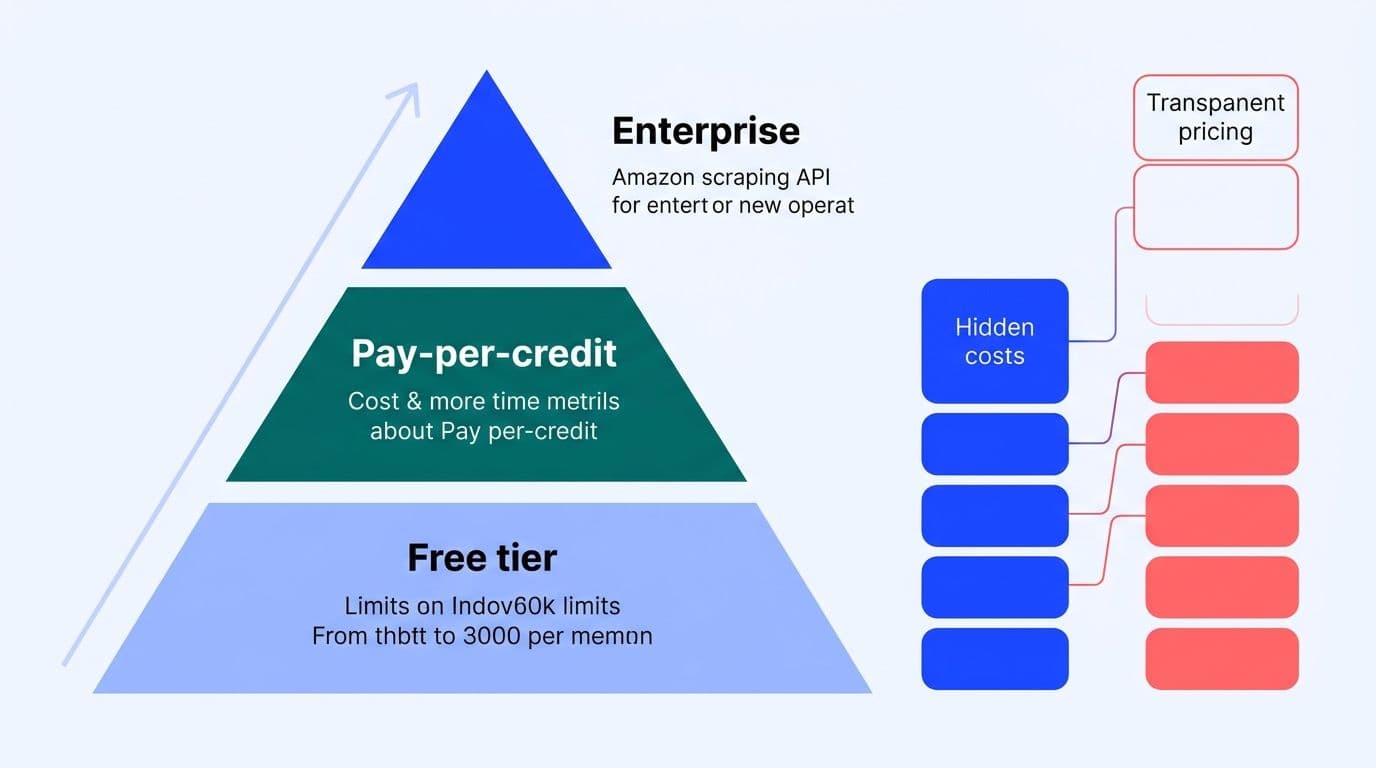
Want a number before you read the rest? Pulling 100,000 Amazon product pages a month through a commercial scraping API lands somewhere between roughly $20 and $300. It depends on the provider and how aggressively the target page is defended. That's the honest range we see when we price this work out across vendors. The spread is wide because the advertised amazon scraping api cost almost never equals the cost per page that actually returns data.
Credit multipliers, retries, proxy types, downstream fetch calls, and the engineering time you spend when you build it yourself all factor in. Every section answers one question a developer asks before committing a budget line.
The Short Answer on Amazon Scraping API Cost
Three pricing models dominate the market, and each fails in a different way.
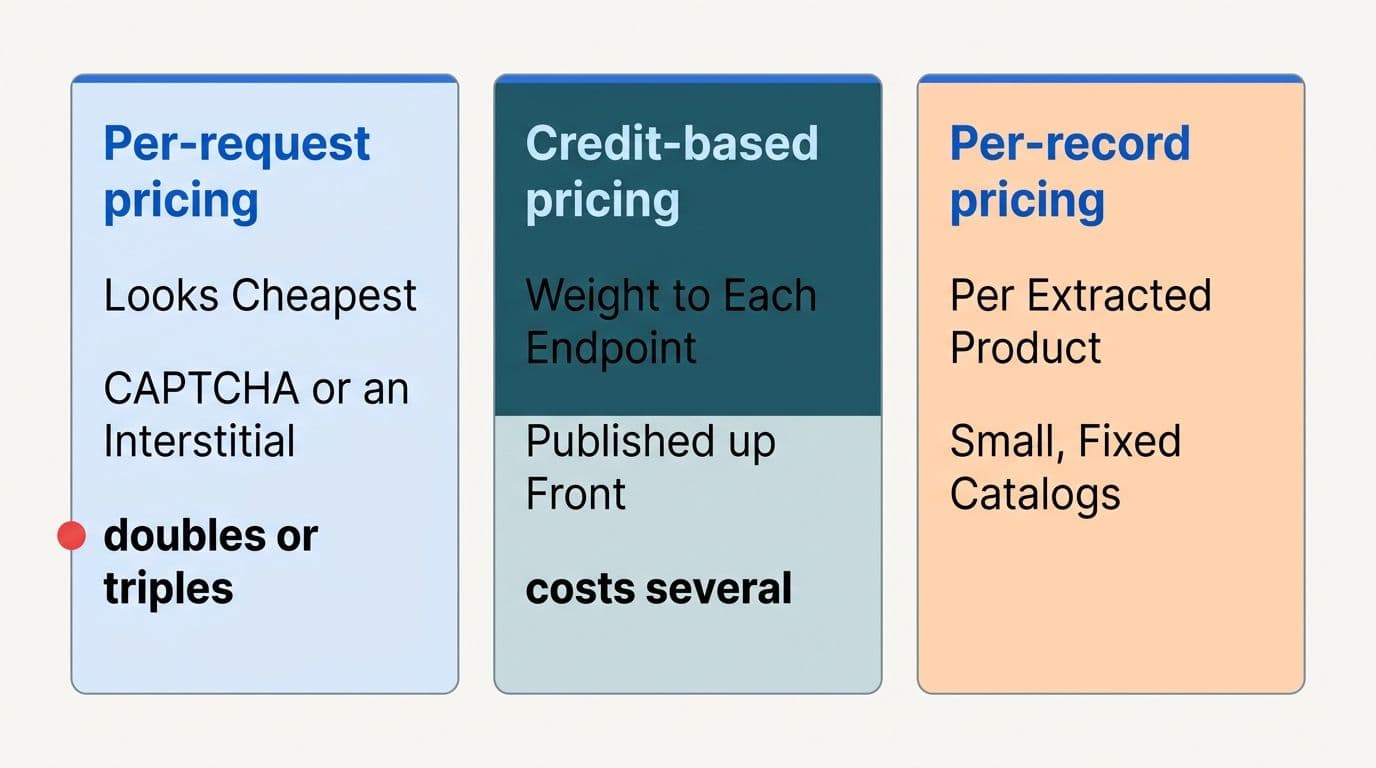
Per-request pricing looks cheapest on the landing page. The catch is that a plain request to an Amazon product page frequently gets a CAPTCHA or an interstitial instead of HTML. You paid for the request. You got nothing usable. Multiply that by your block rate and the real amazon product data api price doubles or triples.
Credit-based scraping pricing assigns a weight to each endpoint or feature. A basic HTML fetch costs one credit. Add JavaScript rendering, residential proxies, or anti-bot bypass and the same page costs several. This model is fair when the weights are published up front. It punishes you when they aren't, because you only discover the multiplier after the invoice.
Per-record or dataset pricing charges per extracted product, review, or SKU. It's predictable for small, fixed catalogs. It gets expensive the moment you want full category sweeps or daily price refreshes, since you pay again for every record on every run.
Our own model is credit-based with the weights visible before each run, and requests that return no data don't consume a credit. That second part matters more than most pricing pages admit. On a defended domain like Amazon, failed requests aren't a rounding error. They're a line item.
For practical budgeting in 2026, assume a defended e-commerce page costs you multiple times a foundational static page. Build your forecast on successful pages rather than attempted ones. Everything else in this article is a refinement of that one rule.
Cost Per Successful Page Is the Only Metric That Matters
Advertised cost per request is a marketing number. Cost per successful page is an engineering number, and it's the only one you can forecast a budget from.
Here's why they diverge. Providers apply different multipliers for anti-bot bypass, JavaScript rendering, and premium or residential proxy pools. A vendor advertising a very low per-request rate may silently route every Amazon request through its most expensive path, because that's the only path that works. Another vendor charges more per request but succeeds on the first try, so your effective amazon data extraction cost ends up lower.
When we've benchmarked scraping APIs across a basket of roughly fifteen popular sites at 100,000 pages a month, the estimated monthly spend ranged from about $20 to about $300. There was no correlation between price and success rate. The priciest option in a given test was frequently not the most reliable one on Amazon specifically. Performance is domain-specific, not vendor-specific.
That leads to the second thing nobody tells you: a single provider tends to become a bottleneck once you scrape numerous e-commerce domains. A vendor that handles Amazon cleanly may struggle on a regional marketplace, and credit weights differ per domain too. Teams running serious price-intelligence pipelines in 2026 usually route by domain rather than committing everything to one endpoint.
So before you sign anything, run a bake-off. Pull the same 500 Amazon URLs through each candidate, count how many returned parseable product data, and divide spend by successes. That number, not the pricing page, is your real amazon scraping api pricing.
How Credit-Based Scraping Pricing Actually Works
Credits are just an abstraction over compute, proxy bandwidth, and bypass difficulty. The abstraction is useful when it's transparent, and it's hostile when it isn't.
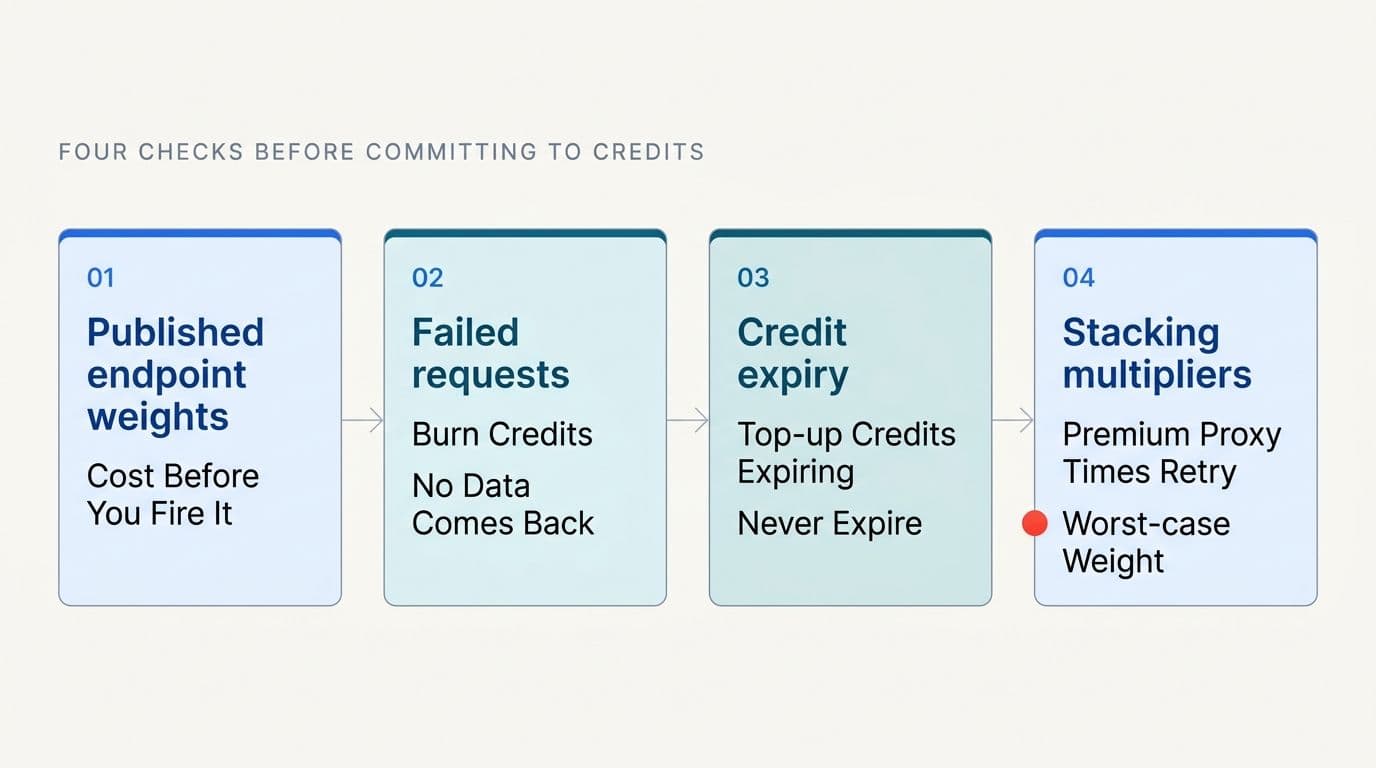
What to check before you commit:
- Are the endpoint weights published? You should be able to see what a given call costs before you fire it, not reverse-engineer it from a usage dashboard three days later. We publish endpoint weights per endpoint for exactly this reason.
- Do failed requests burn credits? On Amazon, this single policy can swing your monthly bill substantially. Ours don't charge when no data comes back.
- Do credits expire? Monthly plan credits resetting each billing period is normal. Top-up credits expiring is not, and it quietly converts unused capacity into revenue for the vendor. Our top-up credits never expire.
- Are there stacking multipliers? Rendering times premium proxy times retry can turn a "1 credit" page into something far pricier. Ask for the worst-case weight on a defended e-commerce domain, in writing.
The reason credit based scraping pricing wins for Amazon work is that scraping difficulty genuinely varies. A static review page and a dynamically rendered Buy Box with a logged-out price aren't the same unit of work. Flat per-request pricing either overcharges for the easy case or loses money on the hard one, which the vendor then recovers through retry charges.
Our own plans run from $29/mo for 40,000 credits up to $299/mo for 1,150,000 credits, with self-serve signup, no minimums, and no annual contract. Whatever you choose, model your spend as credits per successful product page times volume, then add a margin for retries you'll never fully eliminate.
Amazon API Pricing Plans: Free Tiers and What They Really Cover
Nearly every vendor offers a free tier, and nearly every free tier is calibrated to let you scrape simple sites rather than hard ones. That's the gap to probe when you evaluate amazon api pricing plans.
A free tier is valuable for three things: verifying that the response schema matches what your parser expects, measuring success rate on your actual target URLs, and timing the end-to-end latency under your own network conditions. It isn't worthwhile for estimating steady-state cost, because trial accounts sometimes get routed through better infrastructure than production accounts on entry plans.
We give 1,000 one-time signup credits free with no credit card, which is enough to run a real Amazon bake-off rather than a toy demo. Spend them on the hardest pages in your pipeline, deeply paginated category listings, variant-heavy product detail pages, review pages, not on the ones you already know work.
When comparing paid tiers, normalize everything to credits per successful Amazon page per month. Vendors structure amazon api pricing plans around different units, requests, tasks, records, or bandwidth, and the only way to compare them is to convert each into your own unit of work. Build a small spreadsheet: target pages per day, expected success rate per vendor from your bake-off, credit weight for the configuration that actually succeeds, then monthly cost. It takes an afternoon, and it's the single highest-leverage thing you can do before committing.
One more plan-level detail: check whether concurrency is capped per tier. A cheap plan with a low concurrency ceiling can make a daily 100k-page refresh physically impossible inside your window, which forces an upgrade you didn't budget for.
The Cost to Scrape Amazon Data Yourself
The build-it-yourself path looks free until you itemize it. Here's what the cost to scrape Amazon data in-house actually consists of.
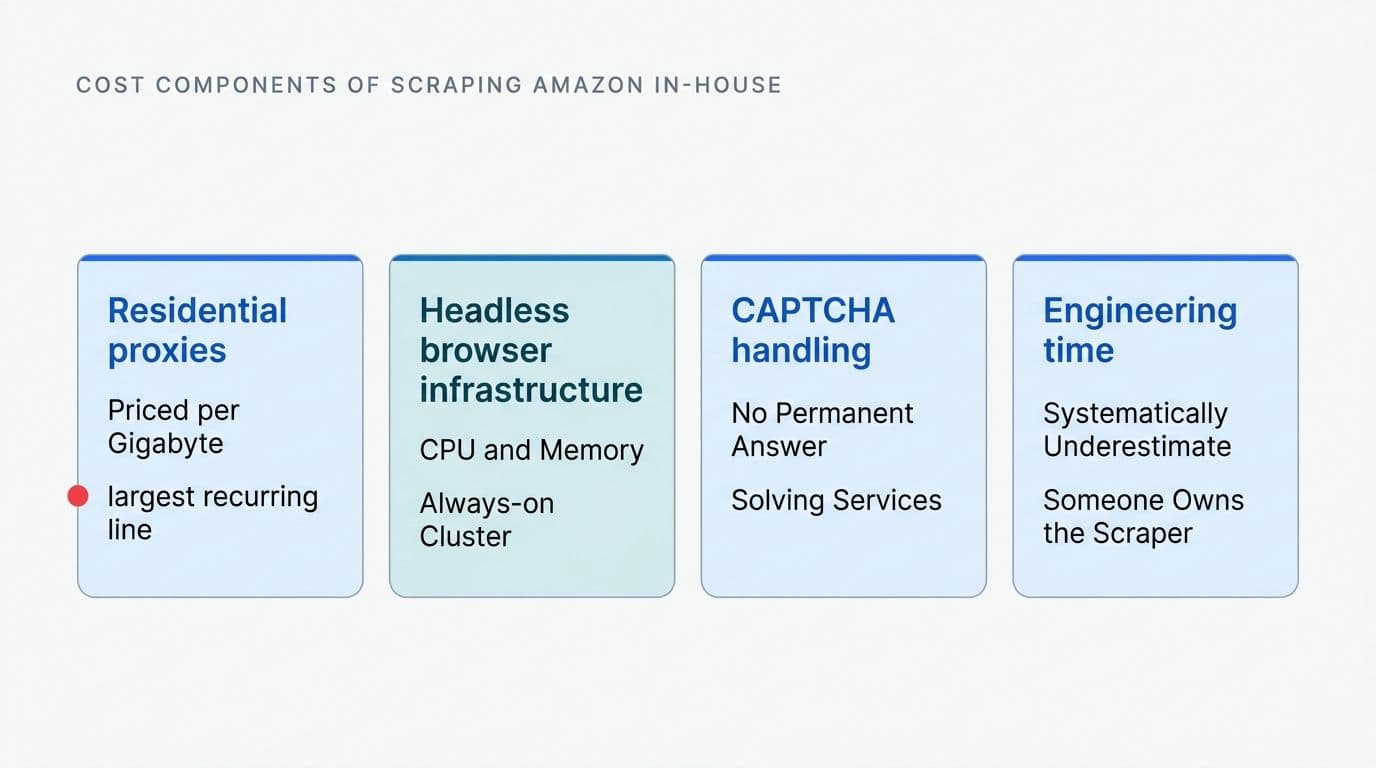
Residential proxies. Datacenter IPs get filtered on Amazon quickly, so you end up on residential or mobile pools priced per gigabyte. Amazon product pages are heavy, carrying images, scripts, and tracking payloads, so bandwidth adds up faster than page counts suggest. Unless you're stripping assets aggressively, this is usually the largest recurring line in a DIY budget.
Headless browser infrastructure. JavaScript rendering means running browser instances, and that means CPU and memory, which in turn means either an always-on cluster or cold-start latency. Either way it's compute you're paying for whether or not your scrape succeeds.
CAPTCHA handling. Amazon's CAPTCHA protection is the single most common thing that stops a homegrown scraper, and there's no clean, permanent answer to it. You can reduce how often you trigger it through better fingerprinting, pacing, and session management. You cannot eliminate it, and anyone telling you they can is selling something. Budget for solving services, failed attempts, and the engineering time spent tuning around it.
Engineering time. This is the one teams systematically underestimate. Someone owns the scraper, and when it breaks, that person stops doing whatever they were hired for.
Add those four and the scraping amazon at scale cost of a DIY stack frequently exceeds the API bill it was meant to avoid, before you account for the opportunity cost of the engineer. DIY makes sense when you have unusual requirements, existing proxy contracts, or volumes large enough that per-page economics flip. It rarely makes sense as a cost-saving move at mid volume.
DIY Scraper Maintenance: Amazon Changes Its HTML Without Warning
The regular cost nobody forecasts is maintenance. Amazon updates page structure regularly, and when it does, CSS selectors break silently. Your scraper keeps returning 200s. Your database fills with nulls. You find out when a downstream dashboard shows a product catalog that lost half its prices.
This isn't an occasional event. Across a year of running Amazon pipelines, expect layout changes to hit product detail pages, review blocks, and category listings at different times, each requiring its own fix. Variant selectors, Buy Box markup, and promotional badge rendering are notably volatile because Amazon A/B tests them continuously, which means two requests from different IPs can legitimately return different DOM structures for the same ASIN.
The practical defenses:
- Validate on write, not on read. Enforce a strict schema at ingestion so a missing price fails loudly instead of persisting as null.
- Alert on field-level fill rates, not just HTTP status codes. A drop in "price field populated" percentage is your earliest signal that markup changed.
- Avoid deep selector chains. The more structural assumptions a selector encodes, the more often it breaks.
This is the strongest argument for buying rather than building: when markup changes, fixing it becomes someone else's on-call problem. Our Extract API returns clean markdown or validated structured JSON rather than raw HTML, so your parsing layer isn't coupled to Amazon's DOM at all.
If you want the full extraction workflow, our guide on how to scrape Amazon product data walks through the request patterns and schema design in detail. Maintenance cost is real, frequent, and almost never in the spreadsheet. Put it there.
Success Rates: DIY Proxies vs Dedicated Scraping APIs
Success rate is the multiplier that sits on top of every other cost number. It's where homegrown stacks and dedicated APIs separate most clearly.

A DIY setup using a generic residential pool, a stock headless browser, and naive retry logic will get a meaningful share of Amazon requests served a CAPTCHA, an interstitial, or a degraded page with no pricing. Each of those consumes proxy bandwidth and compute and returns nothing. A dedicated scraping API maintains fingerprint rotation, TLS profiles, session reuse, and header consistency as a full-time engineering function, so the share of requests that return usable product data is materially higher at the same volume.
To be straight about it: nobody can guarantee block-free scraping or CAPTCHA bypass in every case, including us. Amazon's defenses change, and a bad hour happens. What a good API changes is the baseline, and the baseline is what your amazon data extraction cost is computed from.
Do the arithmetic. If a DIY run succeeds on roughly two-thirds of attempts and an API succeeds on the large majority, the API's higher per-page price can still produce a lower cost per successful page. Then add the bandwidth you burned on failures and the retry compute, and the gap widens further.
Measure this yourself rather than trusting either side's marketing. Run both paths against the same URL set for a week, log every outcome, and compare successful extractions per dollar. That one week of data will settle the build-versus-buy argument more decisively than any vendor comparison chart.
Account Risk, IP Bans, and the Terms-of-Service Question
This comes up constantly and deserves a direct answer rather than a dodge.
Amazon's terms of service restrict automated access, and scraping public pages can conflict with those terms regardless of whether the data itself is public. We're not going to tell you scraping is always legal. It depends on the target site's terms, the jurisdiction you operate in, what data you collect, and what you do with it. If your use case touches personal data or you're operating at significant scale, get actual legal review rather than a blog post's opinion.
What we can be concrete about is operational risk:
- Never scrape from a logged-in session you care about. Authenticated scraping ties activity directly to an account. If you're pulling data for a seller account, treat account suspension as a live possibility, not a theoretical one.
- IP bans are the common outcome, not legal action. Datacenter ranges get filtered fastest. Aggressive concurrency from a narrow IP range is the quickest route to being blocked.
- Keep scraping infrastructure distinct from business infrastructure. Don't run scrapers from the same IPs or accounts your selling or advertising operations depend on.
Review data carries its own considerations, since review text and reviewer identifiers are a different category from prices and specs. Our article on how to scrape Amazon reviews covers the specifics, including which fields are worth collecting and which create downstream obligations you might not want. Using a third-party API moves the IP exposure off your network, but it does not move the compliance question off your desk.
Geographic and Logged-Out Price Variations
Here's a cost driver that only shows up once you're in production: the price Amazon shows depends on who's asking.
Marketplace domain, delivery postcode, currency, device type, and login state all influence what renders in the Buy Box. A logged-out request from a datacenter IP in one country can return a different price, or no price at all, than a residential IP in the destination market. If you're doing competitive price monitoring and your data disagrees with what your analyst sees in their browser, geography and session state are usually why.
The budget consequence is straightforward: every market you cover multiplies your page volume. Tracking 10,000 SKUs across five Amazon marketplaces is 50,000 page fetches, not 10,000, and the tougher markets may carry higher credit weights because of the proxy type required. This is the point where scraping amazon at scale costs stop scaling linearly with SKU count.
Two practical rules. First, pin geography explicitly rather than hoping the default routing lands somewhere beneficial. A request without a declared locale will give you data you can't attribute to a market. Second, store the locale, currency, and timestamp alongside every price you capture, because a price without that context is unusable for comparison six weeks later.
Worth being upfront here: our geographic coverage spans 100-plus countries, not all 195-plus, so if you need a genuinely obscure micro-locale, check availability before you build your pipeline around it. For the major Amazon marketplaces, coverage isn't the constraint. Volume planning is.
Hidden Costs Beyond the Sticker Price
The per-call price on a pricing page is rarely where the budget actually goes. Three downstream costs consistently dominate.
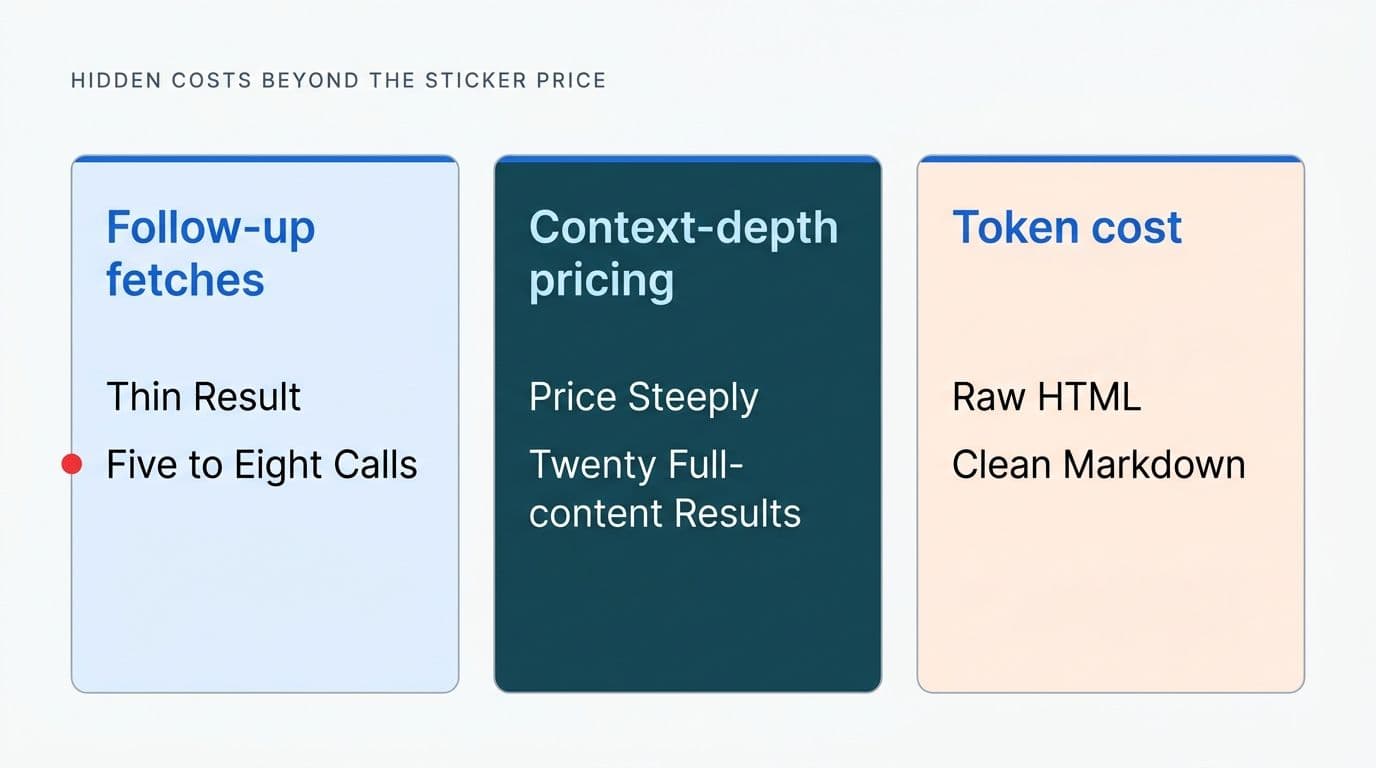
Follow-up fetches. If your first call returns a thin result, a search snippet, a listing stub, a truncated description, you need additional fetches to get the full record. In pipelines we've measured, that pattern commonly runs to five to eight downstream calls per initial result. That's where the money goes, not the headline per-call rate. Track downstream compute as its own line item.
Context-depth pricing. Search-style APIs price steeply by how much content they return. Minimal-context search calls are the cheap end, while returning twenty full-content results pushes the per-thousand rate several times higher across the major providers. A one-time pull of 10,000 search results can still cost a modest amount at the cheap end. The expensive part is never the query, it's the content behind it.
Token cost. If Amazon data feeds an LLM pipeline, raw HTML is a direct cost multiplier. Product pages carry enormous script and tracking payloads, and every byte you pass to a model is billed. Clean markdown or structured JSON can cut token spend dramatically against raw HTML, which is why we build LLM-ready output into the response rather than leaving you to strip it. The full endpoint lineup, including the Extract, Crawler, and SERP APIs, is designed around that assumption.
Model all three before you commit, or your amazon scraping api pricing forecast will be off by a multiple rather than a percentage.
Build vs Buy: Running the Numbers
Put the two paths side by side with real inputs rather than instincts.
Buy. Monthly credit spend at your measured success rate, plus integration time, typically days, not months, when the response schema is clean. Our schema is Firecrawl-compatible, so teams migrating from an existing provider mostly remap field names rather than rewrite parsers.
Migration effort is real, but it's bounded and it happens once.
Build. Residential proxy bandwidth, headless browser compute, CAPTCHA handling, monitoring and alerting, plus ongoing engineering time for selector maintenance and anti-bot tuning. That last cost is permanent, and it scales with the number of page types and marketplaces you cover.
The crossover generally arrives at very high, very stable volume with predictable page types, not at the mid-volume, multi-marketplace workloads most teams actually run. For anything with changing requirements, buying wins on total cost and wins harder on time-to-data.
Where we'll be honest about limits: we don't sell a full proxy or unblocker product line, we're the SERP and scraping layer. We don't hold SOC 2 Type II or ISO 27001 certification yet, both are on the roadmap, not done. Support runs through Slack with a 30-minute median first response on priority, not a named CSM or a 24/7 phone line. If those are hard requirements, factor them in honestly.
What you get in exchange: live scraping on every request with no stale cache, visible endpoint weights, credits that don't burn on failures, and top-up credits that never expire. A growing base of developers build on that.
Start With a Real Bake-Off, Not a Pricing Page
The only amazon scraping api cost that matters is the one your own URLs produce, at your own volume, measured in successful pages.
Run the test: pull your hardest Amazon pages through two or three providers, count successes, divide by spend, and pick the winner. It takes an afternoon and it will save you a quarter of budget surprises.
Start Free with 1,000 signup credits and no credit card, see pricing for the full plan breakdown, or read the docs to check the response schema against your parser. If you'd rather talk it through, book a 30-minute demo and bring your URL list.
Frequently Asked Questions
How much does it cost to scrape Amazon with an API?
Pulling 100,000 Amazon product pages a month through a commercial scraping API costs roughly between $20 and $300, depending on the provider and how aggressively the target page is defended. The actual cost per successful page varies widely from advertised rates because of credit multipliers, retries, proxy types, and downstream fetch calls.
What is the difference between per-request and credit-based scraping pricing?
Per-request pricing looks cheapest but charges for failed requests that return CAPTCHAs or interstitials instead of usable data, effectively doubling or tripling the real cost. Credit-based pricing assigns weights to different endpoints and features, making it fairer when weights are published upfront but punishing when they aren't, since you discover multipliers only after the invoice.
Why is building your own Amazon scraper expensive?
DIY scraping requires residential proxies (usually the largest cost), headless browser infrastructure for JavaScript rendering, CAPTCHA handling services, and ongoing engineering time for maintenance. The cost frequently exceeds the API bill it was meant to avoid, especially when accounting for the opportunity cost of the engineer and regular maintenance when Amazon changes its HTML structure.
What should you check before committing to a credit-based scraping service?
Before committing, verify that endpoint weights are published before you fire requests, confirm that failed requests don't burn credits, check whether credits expire, and ask about stacking multipliers where rendering times premium proxy times retry can dramatically increase the cost per page.
How often does Amazon change its HTML and break scrapers?
Amazon updates page structure regularly enough that CSS selectors break silently throughout the year, with layout changes hitting product detail pages, review blocks, and category listings at different times. Variant selectors, Buy Box markup, and promotional badge rendering are particularly volatile because Amazon A/B tests them continuously.