

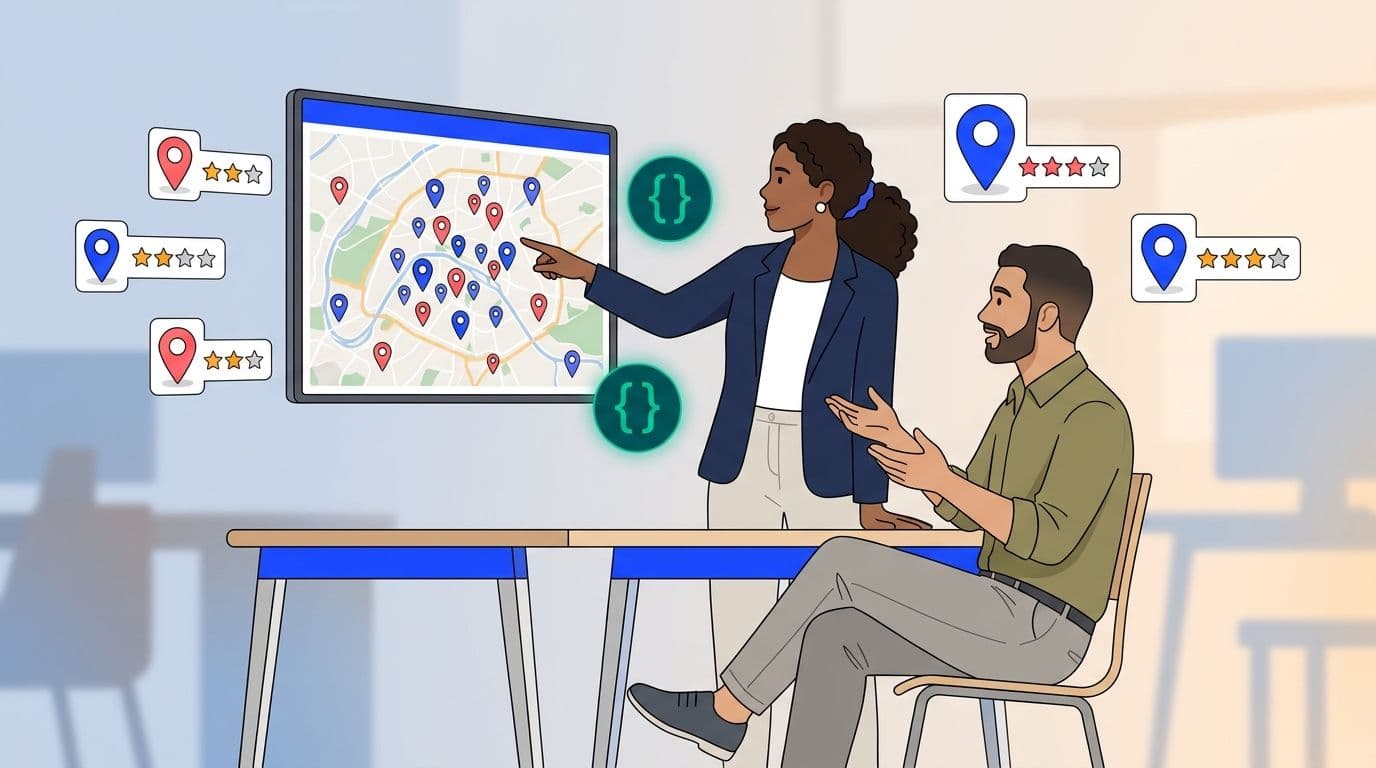
SERP API for Google Maps: How It Works
A serp api for google maps sends a search query to Google the same way a browser does, from a real location. It then parses the local results page into structured JSON: place names, addresses, phone numbers, ratings, review counts, categories, coordinates, and the position each business holds in the result set.
You'll see how a serp api google maps request differs from the official Places API, what bot detection you are up against, how to wire the whole thing into an AI agent without leaking credentials, and where the legal line sits right now.
What a Google Maps SERP API Actually Returns
When you search a local query on Google, "dentist near me" or "coffee shop austin tx", you get two distinct surfaces. The first is the local pack (often called the 3-pack) embedded in the standard web results page. The second is the full Maps interface, a separate results set with its own ranking, its own pagination, and far more places per query.
A google maps search api worth paying for handles both. The local pack extraction gives you the three businesses Google chose to surface for a web searcher, with their ratings and the "sponsored" flag if one is paid. The Maps extraction gives you the deeper list, typically twenty results per page, scrollable, with richer per-place attributes.
The fields you can reasonably expect in structured json google maps data:
title,address,phone,websiteratingandreviews(count)type/categoriesgps_coordinateswith latitude and longitudeplace_idor equivalent stable identifierpositionwithin the result set- hours, price level, and service attributes where Google renders them
A google maps scraper api can only return what the page contains.
The thing that trips up most first integrations is that Maps results are location-dependent in a way web results are not. The same query from two coordinates ten miles apart returns a different list in a different order. If your request does not pin a precise location, you are not measuring anything, and you are sampling noise instead.
Why Teams Reach for a SERP API Instead of the Official Places API
The authorized Google Maps Platform APIs are good at what they were designed for. They let an application look up a place the user already chose, render a map, and draw a route. They were not designed to tell you where a business ranks for a query in a specific neighborhood, and they will not tell you that either.

That is the first reason teams go looking for a google maps places api alternative. Place Details returns facts about a place. It does not return ordering, and ordering is the entire product if you are building rank tracking.
The second reason is cost shape. Maps Platform billing scales per call across multiple SKUs. An application that needs frequent or detailed queries, say a few hundred keywords checked daily across a handful of cities, accumulates charges faster than most teams model up front.
The per-call price looks trivial in isolation. The monthly invoice does not.
The third reason is review access. The sanctioned APIs cap how many reviews you can retrieve per place, which makes rating-integrity work impossible. If you need to look at a meaningful sample of a business's review history, a google maps reviews api built on live SERP parsing is the only practical path.
A serp api for google maps solves a different problem than the Places API, not a cheaper version of the same problem. Plenty of teams run both.
How to Pull Google Maps Reviews and Spot Rating Padding
Review data is where most Maps scraping projects end up. Ratings drive conversion and fake ratings are everywhere.
The practical flow has two stages. First, run a Maps search to get the list of places and their identifiers. Second, fetch reviews per place.
Once you have the reviews, the interesting work starts. Padding is detectable without anything exotic. Signals worth computing:
- Burst timing. Genuine reviews arrive unevenly over years. Padded ones arrive in clusters, often within days of each other.
- Rating distribution shape. Real businesses show a J-curve, lots of fives, a tail of ones, a thin middle. A wall of fives with almost no variance is suspicious.
- Reviewer history depth. Accounts with a single review, or numerous reviews all posted the same week across unrelated businesses, are a pattern.
- Text homogeneity. Short, generic, keyword-stuffed text that reads the same across dozens of reviews.
- Language and locale mismatch. A local service business with a block of reviews in a language that does not match its market.
One caveat on volume. Reviews are paginated, and deep pagination costs more calls than people budget for. Decide up front whether you need the full history or a recent window. For padding detection, recent plus the earliest page is usually enough to see the shape.
Bot Detection and the Infrastructure You'd Otherwise Maintain
This is the part people underestimate until week three of building in-house.

Google's local surfaces run the same defense stack as the rest of search, plus some Maps-specific behavior. Here's what you are up against, in rough order of how often it bites.
Rate and pattern analysis. Not just requests per minute. Request rhythm, query diversity, whether your sessions look like a human browsing or a loop iterating a keyword list. Perfectly even spacing is itself a signal.
TLS and HTTP fingerprinting. The order of your cipher suites, your HTTP/2 settings frame, your header ordering all matter here. A Python client with default settings has a fingerprint that does not match any shipping browser. That mismatch is checkable before a single byte of your request body is read.
IP reputation. Datacenter ranges are scored differently from residential. A clean datacenter IP might work for a while. A reused one from a shared pool frequently will not.
JavaScript and rendering checks. Maps is heavily client-rendered. A plain HTTP fetch gets you a shell. You need either a real browser or a parser that works against the underlying data payloads, and those payloads change shape without notice.
CAPTCHA and interstitials. The visible failure mode, usually arriving after the invisible ones have already decided about you.
We will not tell you blocking never happens. It does, to everyone, sometimes. What a google maps scraper api buys you is that the blocking becomes the vendor's problem to absorb and route around. On our side, a request that returns no data does not consume a credit. You should not pay for a failure you did not cause.
Dedicated Maps Scrapers vs. Multi-Source Enrichment Tools
There are two shapes of product in this market and they are not interchangeable.
A dedicated Maps scraper does one thing: query Maps, return places. Narrow schema, predictable fields, usually cheap per record. Good when your data model is "businesses and their rankings" and nothing else.
A multi-source enrichment tool takes a business name or domain and assembles a profile from many sources, Maps and the company website among them. You get more fields, including ones Maps never had, and you pay for breadth and for the join logic.
Pick dedicated when you are doing maps rank tracking api work, review auditing, or competitive position monitoring. You need the same fields over and over, measured consistently, and extra columns are just noise in a time series.
Pick enrichment when you are building a lead list and the Maps record is a starting point rather than the answer. A restaurant's Maps listing tells you it exists and is rated 4.3, but it does not tell you headcount or who to email.
The hybrid pattern we see working well: use a google maps search api to find and rank the businesses, then run the websites you harvested through a separate enrichment step.
Our Lead Enrichment API sits at that second stage. Company URL goes in, structured firmographic JSON comes out, which keeps the Maps call clean and the enrichment call optional. You do not pay enrichment prices for rank tracking you were going to run daily anyway.
Local Pack, the 3-Pack, and Why It Now Feeds AI Answers
The 3-pack is the three local results Google shows above organic listings for queries with local intent. Getting into it is the single highest-leverage local SEO outcome. It is driven by a different ranking system than web results.
The factors that move the needle:
Proximity. The strongest single input, and the one you cannot optimize. A business ranks differently for a searcher two blocks away than for one across town. This is exactly why your local pack serp data has to be collected from fixed, named coordinates. Otherwise you are comparing results from different places and calling it a ranking change.
Prominence. Review count and average rating, citation consistency across directories, and the authority of the business's own website.
Relevance. Primary category, secondary categories, business name, services listed, and how well the profile matches the query language.
Here's why this deserves more attention in 2026 than it did two years ago. AI-generated answers for local queries lean heavily on the same signals and frequently on the same shortlist. When a user asks an assistant for the best plumber nearby, the set it draws from looks a lot like the local pack. A business absent from the 3-pack is increasingly absent from the AI answer too. Tracking local pack serp data is no longer just SEO reporting. It is a proxy for whether you exist in the AI layer at all.
Which makes the measurement discipline matter more. Track from the same coordinates, at the same time of day, with the same device and language parameters, and record the full three-result set rather than just your own position. The composition of the pack tells you more than your rank inside it. For the broader picture of how Google's result surfaces are structured and queried programmatically, our guide on whether there is an API for Google Search covers the full set of SERP features.
Wiring Maps Data Into an Autonomous AI Agent
Agents are now a mainstream consumer of Maps data. "Find me three suppliers within fifty miles and summarize their reviews" is a perfectly ordinary agent task, and it needs live search underneath.

Three things go wrong in practice.
Dependency and environment drift. Teams wire agents together with CLI scripts and local Python environments, then spend their time on version conflicts and machine-specific config instead of agent behavior. The cleaner path is a platform or framework with pre-built API integrations where the search tool is a configured node rather than a script you maintain. Our MCP server exists for this reason. The agent gets search and scraping as tool calls, and nobody debugs a virtualenv at 11pm.
Credential handling. Do not put your API key in the agent prompt, in a committed .env, or in a workflow node's plain-text field. Store it in a project-level credential vault and reference it, so the token is never exposed in transit or at rest within the workflow definition. This matters more with agents than with cron jobs because agent traces get logged, shared, and pasted into bug reports.
No validation step before production. People ship an agent with a live search tool attached and assume it is working because the agent produces confident text. That confidence isn't proof. Before deploying, run a deterministic check. Ask the agent a question whose answer only exists in fresh Maps data, a specific business's current review count, for example, and confirm the tool call fired and the returned number matches a direct API call you ran yourself. If the agent answers from training data instead of invoking the tool, you will catch it here rather than three weeks into a customer pilot.
Build that validation as a test you run on every agent config change, not a one-time check. Tool-calling behavior regresses when prompts change.
Troubleshooting Failures and Export Problems
The failure modes repeat across every team, so here is the checklist.
Empty results for a query that works in a browser. Nearly always a location mismatch. You searched without coordinates, or with coordinates in a place where that business type does not exist. Pin the location explicitly.
Results that don't match what you see. Your browser is personalized and ours is not. Check in an incognito window with location spoofed to the same coordinates before concluding the API is wrong.
Partial field population. Not a bug. Google renders different attributes for different place types and different businesses. A listing without a website field genuinely has no website link rendered. Write your parser to treat every field as optional.
Pagination stalls. Maps does not return unlimited depth for every query. Broad queries in dense cities have more pages than narrow queries in small towns. Handle a short result set as normal, not as an error.
Phone numbers that break your downstream system. Covered below. It is common enough to deserve its own section.
CSV exports with mangled characters or split rows. Business names contain commas, quotes, and emoji constantly. Export to JSON or JSONL as the canonical format and generate CSV only at the final presentation step, with proper quoting and UTF-8 BOM if Excel is in the loop. Most "the scraper lost my data" reports are really CSV serialization bugs.
Silent schema drift. Google changes what it renders. Validate incoming responses against a strict schema and alert when a field that was present for 99% of records last week drops off. Brittle CSS-selector scraping fails loudly, which is annoying. Schema drift fails quietly, which is worse.
Legal Landscape: Where Google Maps Scraping Stands Now
Be clear-eyed here, because the situation has hardened.
What this does not mean is that collecting public factual data is settled as illegal. Facts such as a business's address, its phone number, or its star rating are generally not copyrightable, and public-data scraping has survived court challenges on other grounds. What it does mean is that the method matters as much as the data, and that "it's public" is not a complete defense.
Practical posture:
- Treat the target's terms as a real input to your risk assessment, not noise.
- Keep records of what you collected, when, and why.
Build the compliance question into your architecture early. Retrofitting deletion and retention logic into a pipeline that has been hoarding review text for a year is miserable work.
International Data: Phone Formats and Locale Validation
If your Maps pipeline touches more than one country, phone numbers will break something.

Google renders phone numbers in local display format. A UK listing shows 020 7946 0958. A German listing shows 030 901820. An Indian listing shows 044 2345 6789. None of these carry a country code, none of them are E.164, and a naive strip-non-digits normalization produces numbers that dial nowhere.
Other locale issues in the same family:
Addresses. Component order varies by country, postal code formats vary wildly, and Google's rendered address string is not reliably parseable into components. Store the string, geocode separately if you need structured components.
Opening hours. Rendered in local language and local time format, with holiday exceptions noted inconsistently. Normalize to a structured representation with explicit timezone.
Character encoding. Non-Latin business names flow through your stack fine until something assumes Latin-1. Enforce UTF-8 end to end.
Coverage honesty. We cover 100+ countries with city-level and language-level targeting, not all 195+, and not every micro-locale within the ones we do cover. If your use case depends on a specific small-market city, test it before you commit. We would rather you check than discover a gap in production.
How DataBlue's Google SERP API Handles Maps Queries
Our Google SERP API runs live on every request. There's no cached result sets, no "last refreshed four hours ago." For maps rank tracking api work that is non-negotiable, because a cached local pack is a lie about the present.
Practical details that matter when you are budgeting:
Endpoint weights are visible before you run. You see what a call costs in credits up front, with no hidden multipliers applied after the fact. Credits do not get silently consumed at a different rate than you planned for.
Failed requests that return no data don't cost a credit. If we can't get you results, you don't pay for the attempt.
Top-up credits never expire. Monthly plan credits reset each period, but anything you buy on top stays until you use it. Seasonal workloads shouldn't be penalized.
Output is LLM-ready by default. Structured json google maps data goes straight into a RAG pipeline or an agent tool call without a cleanup layer. That was built in, not bolted on afterward.
Being straight about the gaps: we don't have SOC 2 Type II or ISO 27001 yet. Both are on the roadmap, not done. Support is Slack-based with a 30-minute median first response on priority, not a named CSM or a 24/7 phone line. And we're the SERP and scraping piece, not a full proxy, unblocker, and dataset product line. If you need all of that from one vendor, we're not it.
Migrating From Another SERP or Maps Provider
The migration question is usually "how long will this take" and the honest answer is this: less than you think if your current integration is clean, more if it isn't.

Our response schema is Firecrawl-compatible, which removes most of the mapping work for anyone coming from that shape. For others, the work is a field-mapping layer, one function that takes our response and emits the structure your downstream code already expects. Write it, test it against a handful of known queries, ship it behind a feature flag.
Run both providers in parallel for a few days before cutting over, and compare result sets on the same queries from the same coordinates. You will find small ordering differences, that is normal, Maps results are not perfectly deterministic. But large systematic gaps mean a parameter is wrong, usually location or language. Fix it before you cut over, not after your dashboards start showing phantom rank drops.
If you're weighing options on specifics, our SERP API alternative comparison breaks down the tradeoffs without the marketing varnish.
Start Building
A serp api for google maps integration is a small amount of code sitting on top of a large amount of infrastructure you no longer have to own. Pin your locations, validate your schema, normalize your phone numbers, keep your credentials in a vault, and stay honest about the legal posture.
Get Your API Key, 1,000 credits free, no credit card. Read the Docs to see the request shape before you commit, See Pricing if you're sizing a workload, or book a 30-minute demo if you'd rather have someone walk your use case with you.