


Scrape Amazon Product Images and Videos (API Guide)
If you need the media assets off an Amazon listing, the main gallery shots, the hi-res variants, the A+ content blocks, and the product videos, the short answer is that you don't parse them out of the rendered HTML gallery. Most of that media lives in JavaScript state objects embedded in the page, not in <img> tags you can select. The practical way to scrape Amazon product images and videos is to fetch the fully rendered page through a scraping API and pull the media URLs out of structured JSON. That way you're not binding a CSV mapper to markup that Amazon rewrites on its own schedule.
What the media layers actually look like
An Amazon detail page carries at least four distinct media layers, and they don't come from the same place. The main gallery holds thumbnail, medium, and large variants for each image, usually with a separate hi-res URL that isn't shown until the zoom widget loads. The A+ / Enhanced Brand Content section below the fold is a individual module with its own image set. If you want to scrape Amazon A+ content images, you have to make sure the page is rendered far enough down that the module is populated. Variant swatches carry their own image arrays keyed by ASIN child. Video blocks sit behind a media JSON payload that resolves to an MP4 or HLS manifest.
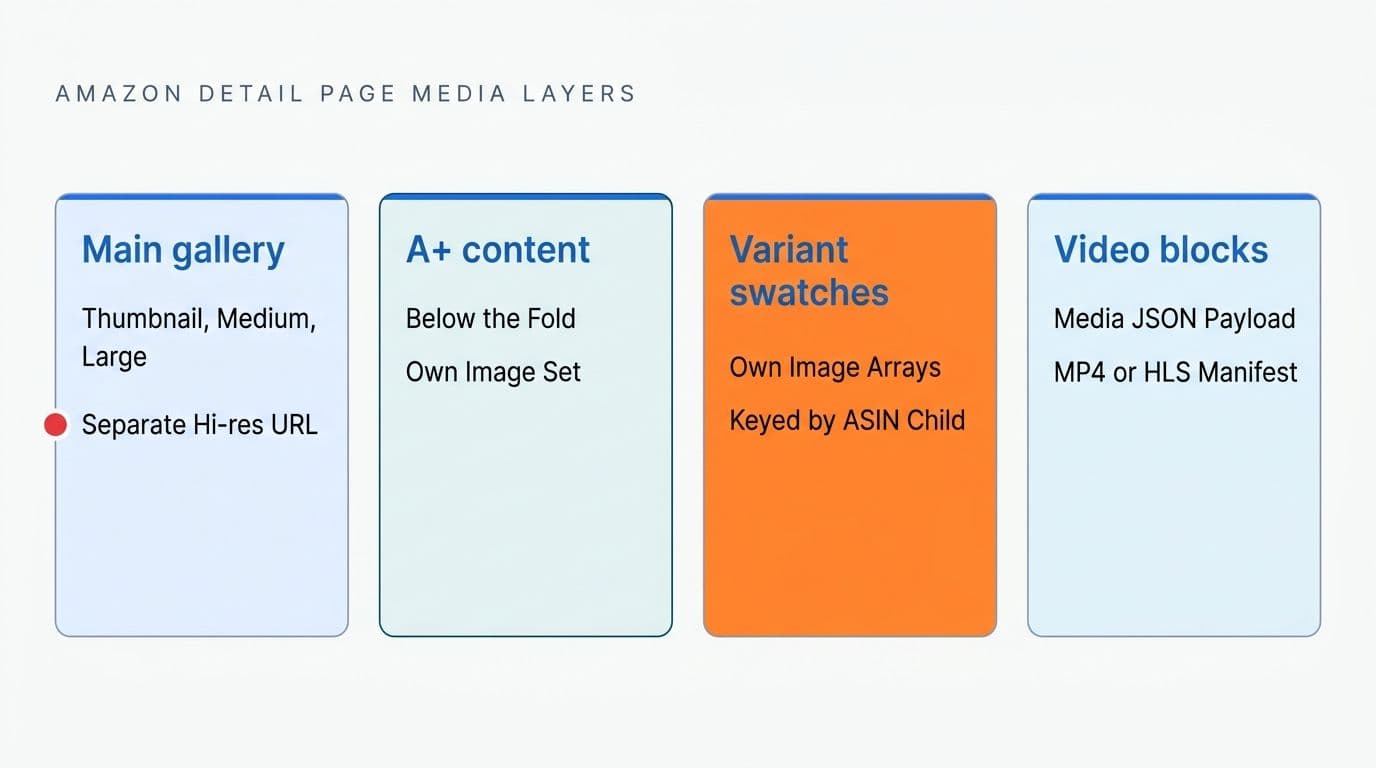
A naive Amazon product image scraper that regexes for image file patterns will grab thumbnails and sprite sheets in the same pass, then miss the hi-res originals entirely. That's the single most common failure we see, and the fix is a plain one: render the page, extract the state object, and treat each media layer as a named field.
When you want to download Amazon product gallery images at scale, resolve the URLs first, then fetch the binaries separately with your own concurrency control. Media CDNs and the product page have very different rate characteristics, and mixing them in one job slows both down. The same split applies when you extract Amazon product videos: get the manifest URL from the page response, then pull the file on a discrete worker.
Our Extract API handles the first half. It gives you a live render, clean markdown or structured JSON, and no stale cache between you and the listing. Treat it as the Amazon media API layer and keep the download step in your own infrastructure where you control storage and retries.
CAPTCHAs, proxies, and account blocks
Amazon's bot defenses are the reason most in-house scrapers die. You'll hit CAPTCHA interstitials, and there is no honest answer that says they always clear. Anyone promising a guaranteed bypass is selling you something, but you can still reduce how often you trip them.
Rotate residential IPs rather than datacenter ranges, and keep per-IP request rates low. Respect geographic consistency between the proxy and the marketplace domain, and back off hard the moment you see an interstitial instead of retrying into a block.
At real volume, that turns into a coordination problem. You end up managing an IP pool and a session map, and you also need a retry policy that tells a soft block apart from a hard ban, before anyone even asks for a new country. This is where DIY infrastructure stops being cheaper than a managed provider.
Proxy spend, egress, and an engineer's standing maintenance load against Amazon's page updates almost always outrun a per-credit API bill. With DataBlue you can see endpoint weights before each run. Failed requests that return no data don't cost a credit, so a block storm doesn't quietly drain your balance.
Reviews are the sharper edge of the same problem. Amazon puts anything past the top handful of reviews behind a login, so scrapers that want depth end up maintaining authenticated sessions that eventually get flagged. That carries account risk and sits in different terms-of-service territory than public product data. Check the target site's terms before you build on it. We go through the tradeoffs separately in our guide on how to scrape Amazon reviews.
Fields, pagination, and real-time data
Media is rarely the only thing a catalog needs. The "about this item" bullets, best seller rank, brand, and buy box price all live in different page modules, and each one moves independently. Price is the worst offender: static one-shot scrapes regularly return a stale or empty value because the buy box renders late. Treat price as a dynamic field with its own refresh cadence rather than something you snapshot once alongside images.
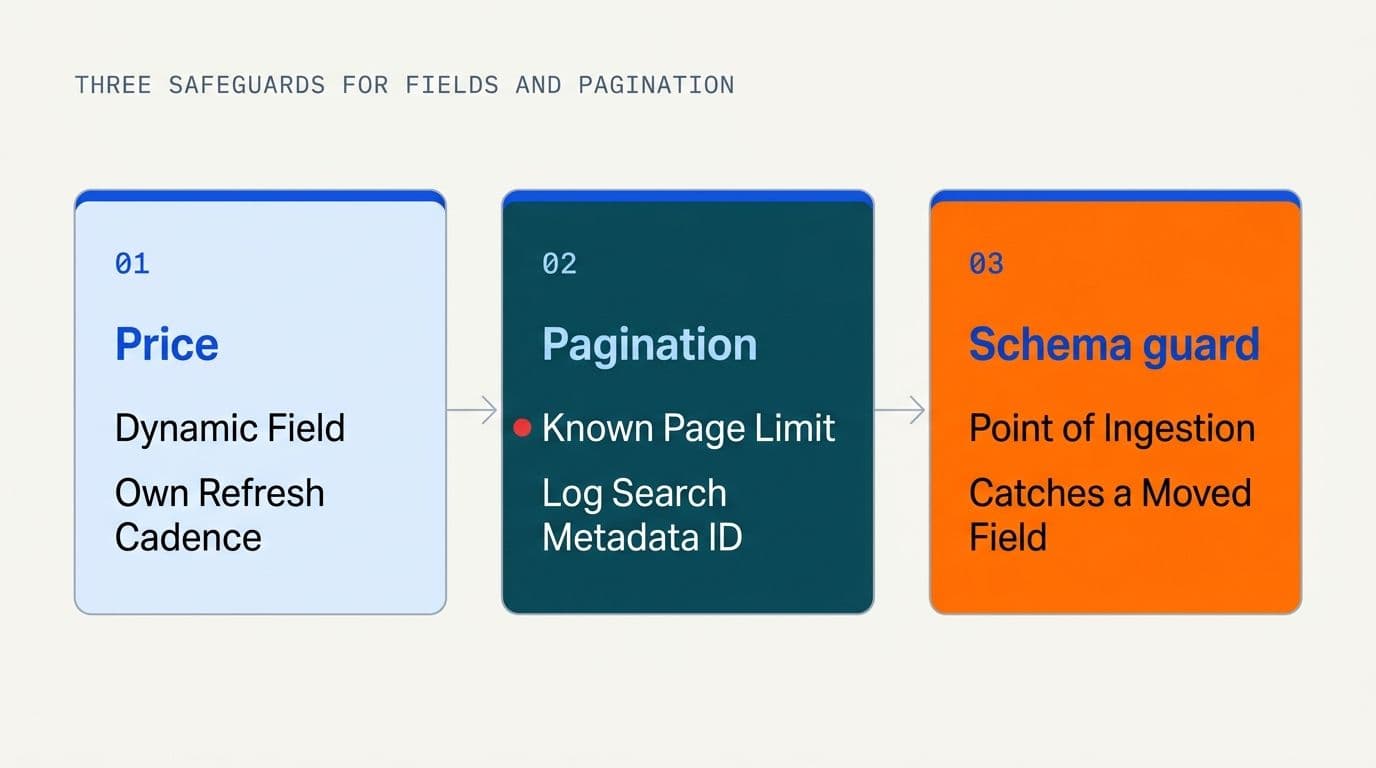
For search and category crawls, skip the while loop that stops on an empty result set. Amazon serves silent empty pages, and you'll end a crawl early for no reason. Cap pagination explicitly at a known page limit, and log the search metadata ID on every request so you can tell a genuine end-of-results from a page that just didn't fill.
Validate with a schema guard at the point of ingestion. A strict schema against an Amazon product data extraction API response catches a moved field the day it moves, instead of three weeks later when someone notices the gallery column is null. For the full pipeline, ASIN discovery through field mapping, see our guide on how to scrape Amazon product data.
Get Your API Key, 1,000 signup credits, no credit card, or See Pricing first.
Frequently Asked Questions
How do I scrape Amazon product images and videos?
The practical way to scrape Amazon product images and videos is to fetch the fully rendered page through a scraping API and pull the media URLs out of structured JSON, rather than parsing them from the rendered HTML gallery. This is because most of the media lives in JavaScript state objects embedded in the page, not in <img> tags you can select.
Where are Amazon product images stored on the page?
Amazon detail pages have at least four distinct media layers from different sources: the main gallery with thumbnail, medium, and large variants plus hi-res URLs, the A+ Enhanced Brand Content section with its own image set, variant swatches with image arrays keyed by ASIN child, and video blocks behind media JSON payloads. Each media layer needs to be treated as a named field separately.
Why do Amazon scrapers fail to get high resolution images?
A naive Amazon product image scraper that regexes for image file patterns will grab thumbnails and sprite sheets in the same pass, then miss the hi-res originals entirely. The fix is to render the page, extract the state object, and treat each media layer as a named field.
What are Amazon's bot defenses that block scrapers?
Amazon's bot defenses include CAPTCHA interstitials and account blocks. You can reduce how often you trip them by rotating residential IPs rather than datacenter ranges, keeping per-IP request rates low, respecting geographic consistency between the proxy and marketplace domain, and backing off hard when you see an interstitial instead of retrying into a block.
Why does scraping Amazon product price data return stale values?
Price is a dynamic field that renders late on the page, so static one-shot scrapes regularly return a stale or empty value because the buy box renders late. Price should be treated with its own refresh cadence rather than something you snapshot once alongside other product data.