


Python Google Search Results API: Setup Guide
If you want Google results inside a Python script today, the short answer is simple. Call a hosted SERP endpoint over HTTP, get parsed JSON back, and page through it with a loop. You send a query, a location, a device type, and a page number, and the python google search results api handles the rest. It returns organic results already split into position, title, URL, and snippet. No HTML parsing, no proxy pool, no headless browser to babysit. Whether you call it a google search results api-python setup or a python google-search results api setup, it's turning a query string into ranked, structured data your code can act on.
The rest of this guide covers the parts that bite people later: result caps, 403s, mobile layouts, SERP features, and what the whole thing actually costs at volume.
Why a Python Google Search Results API Usually Means a Third-Party Endpoint
Google's Custom Search JSON API used to be the default starting point, and it isn't anymore. Free API keys stopped being handed out under the newer policy. A wave of existing integrations started returning 403 Forbidden with no advance notice and no clear explanation. Scripts that had run untouched for a year simply stopped on a Tuesday. If you hit that, the fix is rarely on your side. Re-check the project's billing status and the key's restrictions, then plan a migration, because the quota model and the policy under it can shift again.

There's a design limit too. Custom Search is a programmable search over sites you configure, not a mirror of the public SERP. Rankings drift from what you see in a browser, and the feature set is sparse. No reliable People Also Ask block, no local pack, no shopping or video carousels. For rank tracking or an agent that needs to know what Google actually shows a user in Chennai on an Android phone, that gap matters more than the quota does.
Before you pick a replacement, decide what layer you're buying. Teams building LLM apps need to settle upfront whether they want Google-like rankable results, meaning positions, domains, and SERP features, or a semantic search layer that already interprets intent and strips noise. Those are different products. If your downstream code cares about rank, share of voice, or which competitor owns position three, you want the real SERP. Our Google SERP API returns that as structured JSON, scraped live per request, localized by country, city, language, and device.
For broader background on the options, including Google's own, see our guide on whether there is an API for Google search.
Making the Request: A Google Search Results API Python Pattern That Holds Up
Nearly every google search results api python integration is the same three pieces. An authenticated HTTP call, a retry wrapper, and a loop over pages. Keep them separate so a failure in one doesn't take down the others.
Example, an illustrative skeleton showing the shape of the call. The exact endpoint URL, parameter names, and response field names come from the DataBlue documentation, so fill those in rather than guessing.
import osimport requestsAPI_KEY = os.environ["API_KEY"] # never hardcode a keyENDPOINT = "https://example.com/search" # exact URL: see the docsdef fetch_page(query, page): resp = requests.get( ENDPOINT, params={"q": query, "page": page}, # parameter names: see the docs headers={"Authorization": f"Bearer {API_KEY}"}, timeout=30, ) resp.raise_for_status() return resp.json()for page in range(1, 4): payload = fetch_page("best running shoes", page) print(page, payload)Run it and you should get three JSON payloads printed, one per page of results, each already parsed into result objects. For the real field names and the full parameter list, see the docs.
On error handling, treat 4xx and 5xx differently. A 401 or 403 is a credential or permission problem and retrying won't help. Log it and stop. A 429 or 5xx is transient. Back off exponentially with jitter and cap your attempts. Also watch for soft failures, where the call returns 200 but the snippets come back thin or empty. Retry rates climb sharply on those, and since every retry is another billed call, a thin-snippet problem quietly becomes a cost problem. We don't charge a credit for a request that returns no data, which takes one variable out of that equation. You still want a guard in code that counts empty results per keyword and alerts when the rate moves.
Pagination, Daily Limits, and the Google Search API Number of Results Question
Google itself won't serve an unbounded result set for a query, and the google search api number of results ceiling surprises people coming from a browser mindset. Depth is capped, and past the first few pages the long tail gets noisy and repetitive. Practically, most ranking use cases need the top ten to top one hundred. If your product needs more than that, the question is usually whether you should be expanding the keyword set instead of the depth.
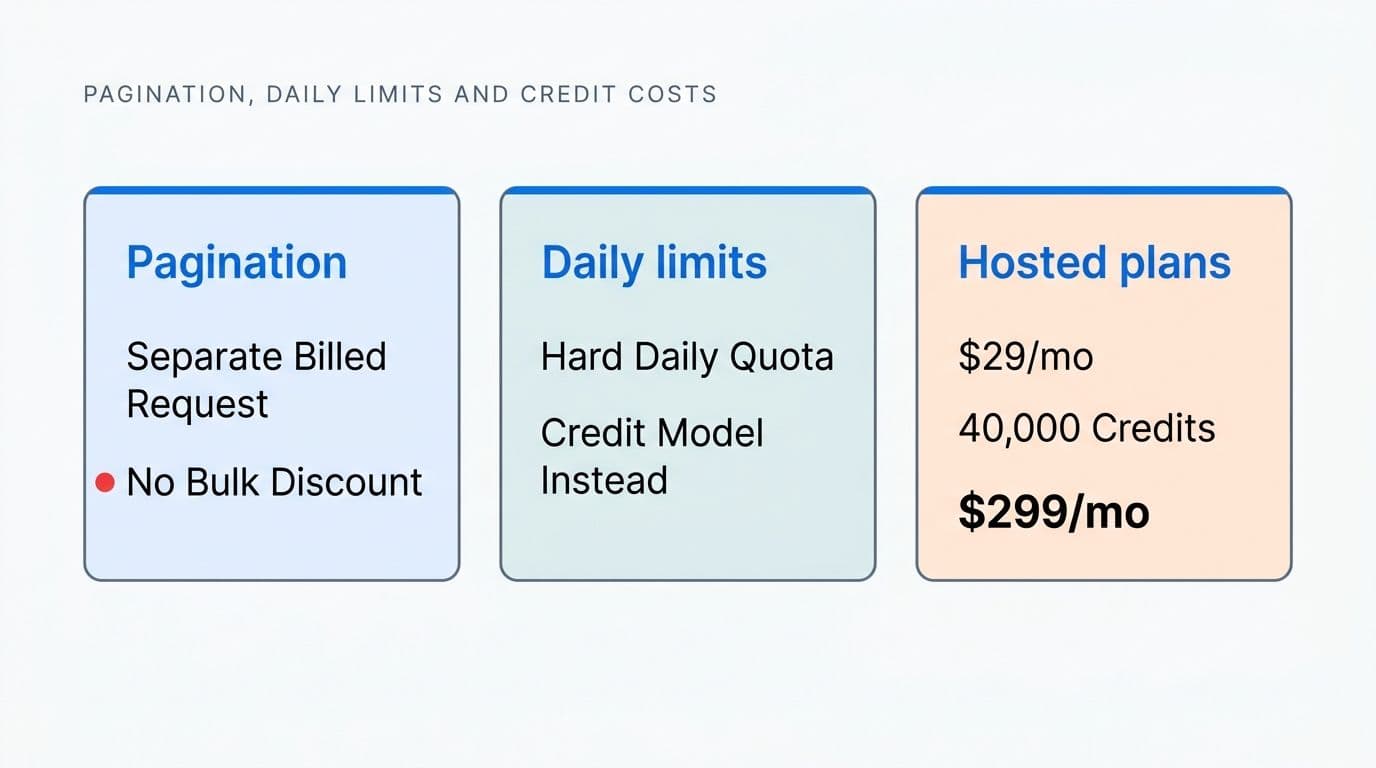
Pagination is per-page, and each page is a separate billed request everywhere. There is no bulk discount for asking for page five. Set your page size and depth per use case: rank tracking for a brand term rarely needs more than the first page, while a competitive audit might want the top five. Request what you need and no more, because depth is the single biggest lever on monthly spend.
Daily query limits are the other half. Google's own API enforces a hard daily quota that you cannot exceed with money alone past a point. A hosted SERP endpoint shifts you to a credit model instead. You run as many queries per day as your plan's credits allow, and burst when a client onboards without filing a quota increase request. DataBlue plans start at $29/mo for 40,000 credits and run to $299/mo for 1,150,000, with endpoint weights published before each run so you can compute your own cost per keyword. Top-up credits don't expire, while monthly credits reset each period.
Build a scheduler that spreads calls across the day rather than firing everything at 00:00 UTC. It smooths your own concurrency, and it also makes rate-limit debugging far easier when something does break.
SERP Features, Mobile vs Desktop, and What Your Parser Must Handle
Organic blue links are the easy part. People Also Ask boxes, featured snippets, local packs, image rows, and video carousels all sit in the same result set and all push organic positions down. If your parser treats "position 1" as the first organic result while your client counts the featured snippet as position 1, your reports will never reconcile. Decide which convention you're using, store both the absolute and organic positions, and document it.
Device matters more than most teams expect. Google renders different structures on mobile versus desktop, with different modules, different ordering, and different snippet truncation. A parser tested only against desktop markup will silently mishandle mobile payloads. Test mobile against alternate layout variants before you ship, and pass device explicitly on every call instead of relying on a default.
Two result types deserve their own path. News and maps data are generally better pulled through a general scraping API than a search-only endpoint. Map-style endpoints tend to come with tight per-search caps that make any real volume impractical. For those, our Extract API or Website Crawler API is the better fit, with the SERP endpoint handling ranked search only.
Cost, Accuracy, and Splitting Search From Page Retrieval
Pricing across this market is wide. At the cheap end, a one-time bulk pull of ten thousand results goes for a few dollars. At the other end, task-based pricing with per-record multipliers and expiring credits can make the same workload cost multiple times that.
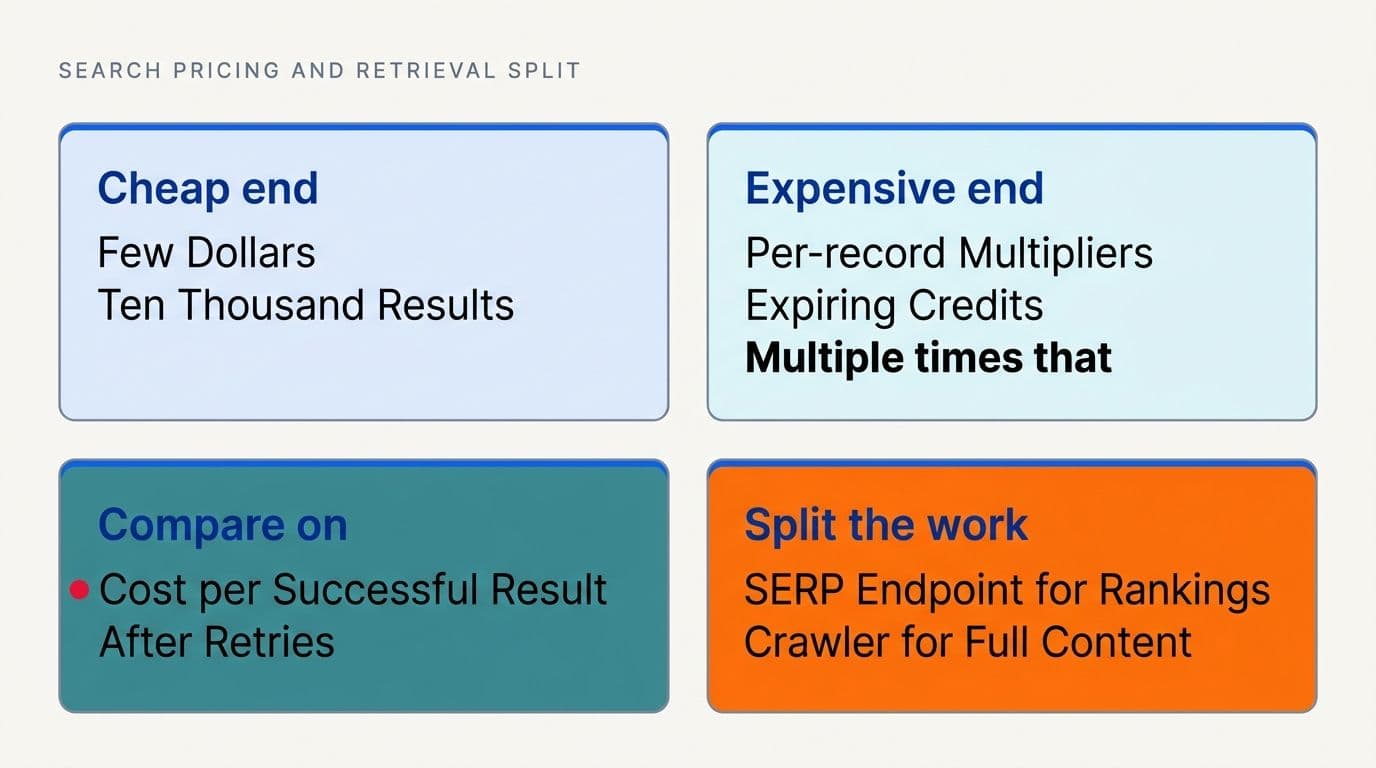
Compare on cost per successful result after retries, not on the headline rate, and check whether results are scraped live or served from a cache. Stale SERPs quietly corrupt rank-tracking charts, and precision varies enough between vendors that it's worth running the same hundred keywords through two providers before committing. If you're already on another vendor, our SERP API alternative breakdown covers output-format mapping and what migration actually involves. Our response schema is Firecrawl-compatible to shorten that work.
The architectural point for agent builders is to distinct search from page retrieval. Use the SERP endpoint for rankings, URLs, and snippets, then send only the URLs that matter to a crawler or extraction call for full content in markdown. Fetching every result's body is how research pipelines burn budget and blow context windows.
Get Your API Key, 1,000 signup credits, no credit card, no minimums.