

Google Maps Scraper Python: Build One or Skip the Work
A working google maps scraper python project can come together in an afternoon. Headless browser, search URL, scroll the results panel, pull names and addresses, write to CSV. The hard part isn't the first run. It's the second week, when the DOM shifts, your IP starts getting served empty panels, and the one-off script you wrote becomes a thing you maintain.
How to scrape Google Maps with Python without automation tools
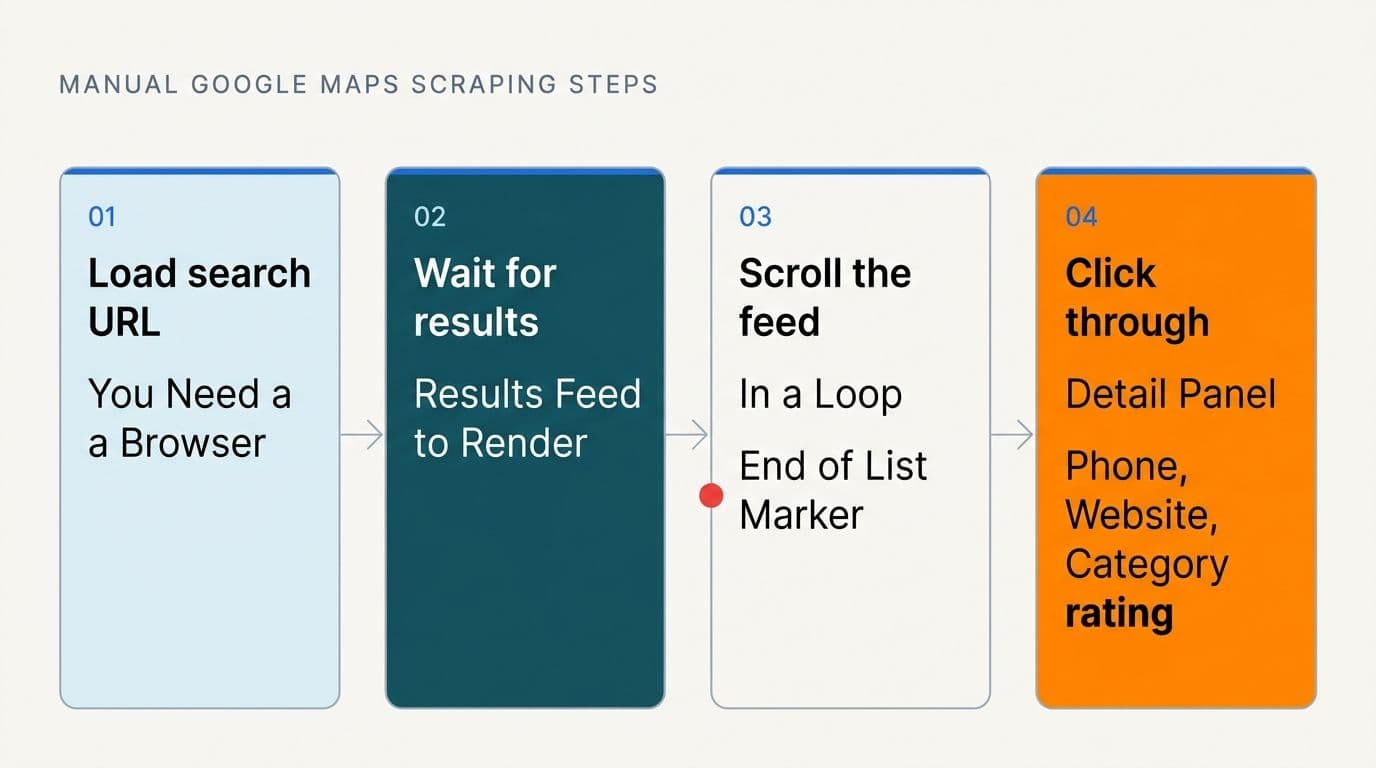
The manual path is deliberate and worth knowing, even if you end up outsourcing it. Google Maps is a JavaScript application, so plain requests plus a parser gets you almost nothing useful. You need a browser: a Selenium Google Maps scraper, or Playwright, which handles waits more gracefully. It loads a search URL, waits for the results feed to render, then scrolls that feed in a loop until the "end of list" marker appears. Each card gives you a name and a link. Clicking through gives you the detail panel with phone, website, category, hours, and rating.
Geo control is simpler than most people expect. You don't need a proxy in a given city to get that city's results. The search URL carries coordinates and zoom, and adjusting those parameters shifts the result set. Vary the center point across a grid and you can cover a metro area that a single query would truncate, since Maps caps how many results one query returns regardless of how long you scroll.
Most of the time spent debugging a google maps data extraction python project traces back to three failure modes. First, empty results. Usually a selector matched a loading skeleton instead of the rendered card, so assert on a known field before you parse. Second, silent truncation happens when the scroll loop exits early. The sentinel never appeared, which means your wait condition is wrong, not the page. Third, soft blocks, where the page returns but the feed is thin or a consent interstitial swallows the session. Detect this explicitly rather than letting it write empty rows.
Rate limiting is behavioral, not a published number. Running a fleet of concurrent browsers with unique IPs, distinct fingerprints, and randomized timing gets you further than throwing residential proxies at a naive loop. Proxies are only worth the line item if you're also prepared to own localization, retries, and parser repair when the markup changes.
Reviews, emails, and controlling what you actually extract
Listings are the easy half. To extract Google Maps reviews in Python, you open the reviews tab on a place, sort it (newest versus relevance changes what you get), and scroll a second virtualized container that loads in batches. Review text is often truncated behind a "more" control, so expand before you read. Budget far more time per place than you did for the listing itself, since a few hundred places with full review history is a different scale of job than a few hundred names and phone numbers.
The integration gap is where most homegrown pipelines leak effort. The listings scraper outputs one dataset, the review scraper expects URLs pasted in by hand, and somebody ends up copying links between spreadsheets.
Fix this at the design stage. Have the listings pass emit a stable place identifier and detail URL per row, then have the reviews pass consume that file directly as its work queue. A shared spreadsheet or table template with fixed column names does more for workflow sanity here than any clever parsing. It's what makes a nightly refresh possible instead of a manual rerun.
Decide your granularity before you write parsers, not after. A lead-gen list needs name, category, and contact details. A competitive analysis needs rating distribution, review velocity, and photo counts. Emitting Google Maps place data as JSON with a validated schema, explicit nulls for missing fields, consistent types, beats a wide CSV where half the columns are empty strings. If the output feeds sales, add an email-finding step. Maps gives you a website, and crawling that site for contact addresses turns a bare listing into an actionable record. Our Lead Enrichment API exists because that enrichment step is the one that decides whether the list gets used.
Build vs. buy: what a google maps scraping api actually saves
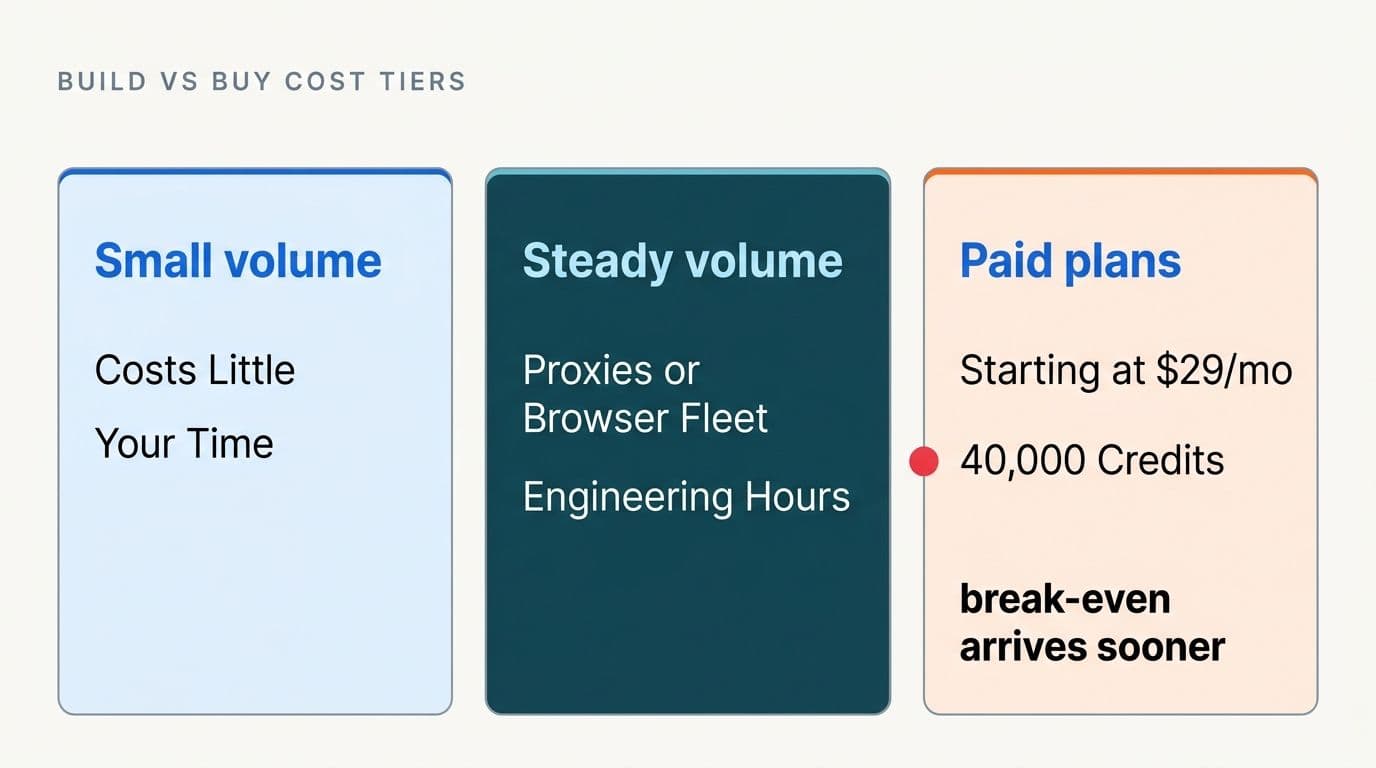
Run the real cost, not the script cost. At small volume, writing and running a Python Google Maps business data pipeline costs little more than your time. At steady volume you're paying for proxies or a browser fleet, compute, and, the big one, engineering hours every time Maps changes its markup or tightens its checks. When you compare that against paid plans starting at $29/mo for 40,000 credits, the break-even usually arrives sooner than people assume.
When evaluating third-party options for reviews specifically, check whether the vendor returns reviews as structured records or just dumps HTML. Check too whether results are scraped live or served from cache, and whether failed requests still bill you.
At DataBlue, endpoint weights are visible before each run, failed requests that return no data don't cost a credit, and top-up credits never expire. We're candid about the edges too. We cover 100+ countries, not every micro-locale, and we're not a full proxy or unblocker product line.
For the full workflow, see our guide on how to extract location data from Google Maps, and if you're weighing official endpoints, read our Google Places API alternative comparison.
Get Your API Key, 1,000 free signup credits, no credit card. Or book a 30-min demo and we'll map your fields with you.