

What Is a SERP API? Google Search API Explained
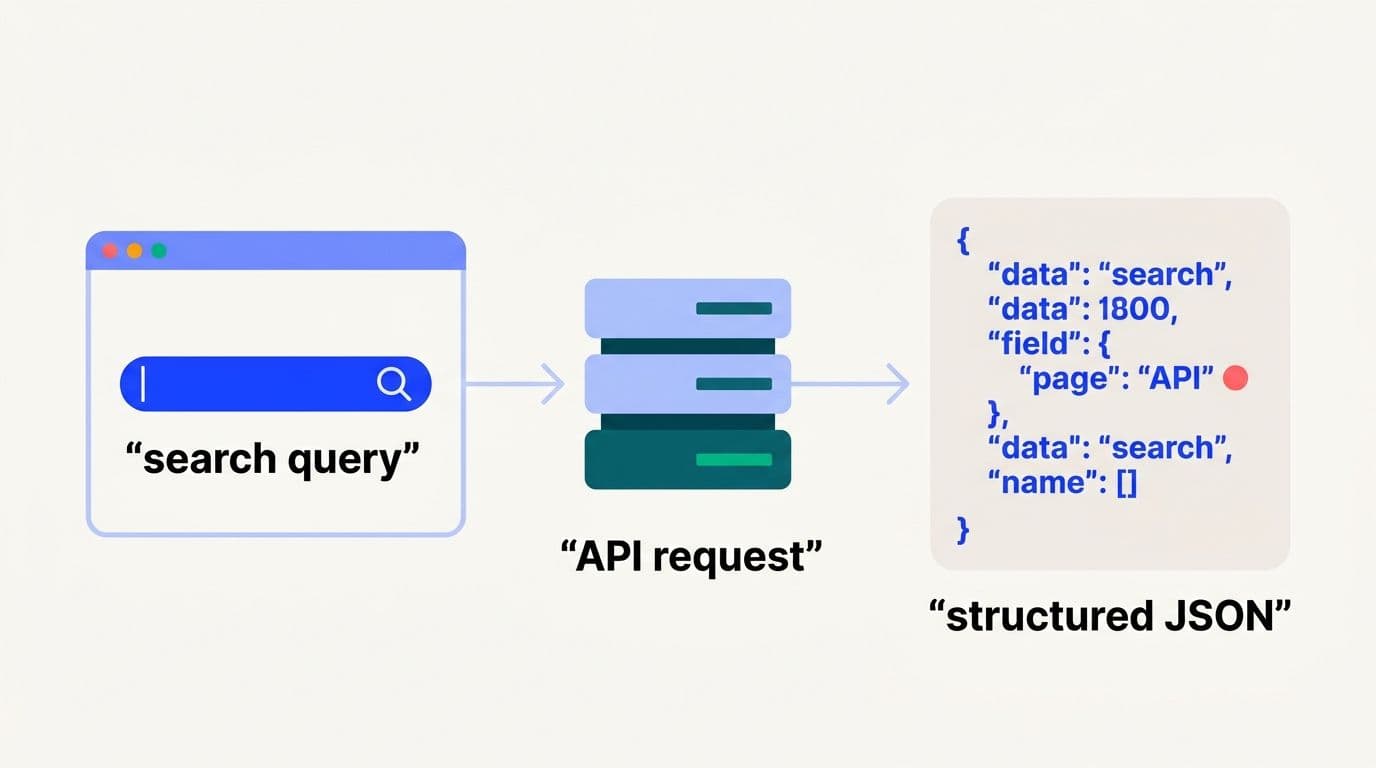
A SERP API is an HTTP endpoint that runs a Google search for you. It returns results as structured JSON instead of HTML. You send a query, a location, a language, and a device type. You get back organic results with positions and URLs. You also get whatever SERP features Google rendered for that query, things like People Also Ask, local packs, featured snippets, shopping carousels, and AI overviews. No browser, no proxy pool, no parsing.
That is the whole idea. Underneath it sits a request path, a set of legal lines, a cost structure at scale, a build-versus-buy decision, and a distinction from the AI grounding tools that look similar on the surface.
What Is a SERP API, and What Is Google SERP in the First Place?
Start with the underlying object. What is Google SERP? It is the search engine results page, the rendered page Google returns for a query. A single results page mixes organic listings, ads, knowledge panels, video carousels, image blocks, site links, and AI-generated summaries. The mix changes by query, by country, by city, and by whether the request looks like it came from a phone or a desktop.
That volatility is the reason the category exists. If the page were stable HTML, you would write a CSS selector once and be done. Instead, Google ships layout changes constantly, serves different markup to different user agents, and actively defends the endpoint against automated traffic.
So what is a SERP API doing about that? It absorbs the hard parts. The provider maintains the proxy infrastructure, the headless rendering, the parsers for every SERP feature, and the retry logic when a request gets challenged. You get a stable contract. Same request shape in, same JSON schema out, regardless of what Google changed last Tuesday.
Google SERP API is simply the Google-specific case of that same contract. Most providers also cover Bing, Maps, News, Images, and Shopping. Google organic and Google local are where the demand sits, because that is where rank tracking and AI research pipelines need ground truth.
Is There an API for Google Search? The Official Options and Their Limits
Is there an API for Google search that comes from Google itself? Yes, with real constraints. Google offers the Custom Search JSON API, which was designed for site search and for searching a curated set of domains. You can configure it to search the broader web, but it is a different index path than google.com, it caps daily free queries, and it does not return the SERP features that SEO work depends on. No local pack, no People Also Ask block, no ad positions, no AI overview text.

That is the gap commercial SERP APIs fill. They are not reselling a Google feed, there is no such feed to resell. They are running live searches and parsing the result.
The Legal Picture: robots.txt, Terms of Service, and Derivative vs Independent Products
We will not tell you scraping is always legal. It depends on the target site's terms, on your jurisdiction, and on what you do with the data afterward. Anyone who tells you otherwise is selling something.
Here is what is actually settled enough to plan around. Scraping publicly accessible pages tends to raise fewer legal questions than scraping behind a login wall, since there is no access barrier to argue about circumventing. That is a different question from breach of contract. Google's terms of service prohibit automated access to Search, and google.com/robots.txt disallows /search for crawlers. Those are real constraints even where no criminal statute applies.
The distinction that matters most commercially is derivative versus independent. A product that republishes Google's result pages, mirroring snippets or reproducing knowledge panel content, sits on much weaker ground than a product that uses rank positions as inputs to its own analytics. Rank trackers, SEO dashboards, and competitive monitoring tools are generally building something independent. The output is a time series of positions and visibility metrics, not a copy of Google's page. The litigation activity in this space makes the stakes concrete.
How to Search Google via API: The Request Path in Practice
The mechanics are simple, which is the point. Searching Google via API means sending one authenticated GET or POST with a handful of parameters. You pass the query string, a country code, a language code, a device, and optionally a city-level location and a result count.

The provider then does the work you would otherwise do yourself. It selects an exit IP in the right geography, renders the page with a real browser engine, solves or avoids whatever challenge appears, parses the DOM into typed fields, and hands back JSON. A well-built google search api returns the same field names whether the query triggered a local pack or not, with empty arrays instead of missing keys, so your downstream code does not branch on shape.
Three parameters cause most of the confusion for first-time users:
- Location granularity. Country-level is not city-level. "Plumber near me" in Chicago and the same query in Peoria return different local packs. If your product promises local rank tracking, you need city or ZIP targeting, and you need to confirm your provider actually supports the cities you sell.
- Device. Mobile and desktop SERPs diverge, sometimes dramatically in how much space ads and AI summaries consume above the fold. Track the device your client's traffic actually comes from.
- Result depth. Pulling 100 results costs more than pulling 10 at most providers, because it is often more than one page fetch under the hood. Decide depth per keyword tier rather than globally.
Keep your credentials out of the request-building code. Store the API key in a project-level credential vault or secret manager, so the token never sits in a repo, a notebook, or a plaintext environment file synced somewhere you did not expect. This matters more than it sounds. Search API keys are directly billable, and a leaked one burns credits until you notice.
What Is Google Search API Pricing Actually Measuring?
Before you compare vendors, map the unit. Skipping this step means you end up comparing marketing pages instead of actual spend.
Providers bill in meaningfully different units. Some charge per SERP page returned. Some charge per search request regardless of depth. Some charge per successful search and eat the failures. Some charge credits where different endpoints consume different amounts. Two providers can advertise what looks like the same rate and differ by a multiple once you run real traffic, because one counts a 100-result pull as one unit and the other counts it as ten.
So when someone asks how much does google search api cost, the only useful answer starts with a question. Cost per what? Write down your actual monthly volume, keywords times locations times devices times refresh frequency, then convert that into each provider's billing unit before you look at a single price.
A few line items that are easy to miss when you build a google search api pricing calculator for yourself:
- Do failed requests bill? At DataBlue, failed requests that return no data do not cost a credit. That is not universal.
- Do credits expire? Our top-up credits never expire. Monthly plan credits reset each period. Expiring credit pools quietly inflate effective cost, because you pay for headroom you never use.
- Are there endpoint multipliers you cannot see until the invoice? We publish endpoint weights before each run, so you know what a call costs before you make it.
- Is there a minimum, a seat fee, or an annual commitment? Self-serve signup with no minimum changes the math for small teams considerably.
Our own plans run from $29/mo for 40,000 credits up to $299/mo for 1,150,000 credits, and there are 1,000 one-time signup credits free with no credit card attached. Run your own numbers against that rather than taking anyone's word for cost-effectiveness, including ours. If you want a structured side-by-side of how the billing units differ across the market, we broke that down in our google search api alternative comparison.
How Much Google Search API Cost at Scale: Build vs Buy
At low volume the answer is obvious. At high volume it stops being obvious, and the people who say otherwise usually have not done the arithmetic.

Teams running genuinely large scraping fleets, proper IP rotation across unique addresses, health monitoring, automatic recovery on block, and their own parser maintenance, consistently find that outsourcing every request becomes prohibitively expensive compared to running it internally. If you are pulling millions of SERPs a month and you already employ people who can babysit infrastructure, the per-unit economics eventually favor building.
What the build-side math tends to undercount:
Parser maintenance is continuous, not one-time. Google changes SERP markup frequently, and every change is a silent data quality bug until someone notices positions went null for a feature type.
Blocks are not a solved state. You do not fix anti-bot once. You maintain it. Residential IP supply, fingerprint rotation, and challenge handling all decay.
Engineering headcount is the real line item. One engineer's loaded cost against a year of API spend is a sobering comparison for most mid-sized teams.
Opportunity cost. The people maintaining your scraper are not building your product.
The pragmatic answer for most teams is a split. Outsource the long tail and the geographic spread where maintaining coverage is painful, and consider building only for the specific high-volume, narrow-shape queries where you have real scale advantages. Figuring out how much google search api cost will run you over a year means comparing it against fully loaded internal cost, not against server bills.
Google Search API for Web Scraping vs AI Grounding Tools
These get conflated constantly, and they solve different problems.
A google search api returns the search engine results page as data. Ranked positions, URLs, titles, snippets, and SERP features, with no editorial judgment applied. Position 7 is position 7 whether or not it is valuable. That is exactly what you want for rank tracking, share-of-voice measurement, and contested analysis, because the ranking itself is the signal you are measuring.
An AI grounding tool does something else. It runs a search, fetches pages, cleans them, re-ranks by semantic relevance to the question, and hands back text that is ready to put in a prompt. Ranking order is discarded along the way because relevance decisions have already been made for you. That is worthwhile for question-answering and bad for anything where you need to know where a result sat.
The practical rule for agentic pipelines is to separate search from retrieval. Use a search API to get rankings and result URLs, then use a distinct browser-based crawler to pull full content from only the pages that actually warrant deep inspection. Fetching every result in full is slow and token-expensive, and most agent queries need detail from two or three sources at most. Our Google SERP API handles the first half, and our Extract API handles the second, turning any URL into clean markdown or structured JSON rather than raw HTML your model has to wade through.
Using a google search api for web scraping inside a RAG pipeline is where that split keeps your token bill sane. Search is cheap and shallow. Extraction is expensive and thorough. Decide which pages deserve the expensive half, and let the rankings tell you.
Integration Patterns for Autonomous AI Agents
The dependency management overhead of agent tooling is underrated as a failure mode. Teams building autonomous agents lose real days to environment configuration, CLI script wrangling, and version conflicts between SDKs, none of which produces any user-facing value.

Pre-built API integrations, or a low-code orchestration layer with the connector already wired, sidestep most of that. The same logic drives the MCP pattern. An MCP server exposes search and scraping as tools the model can call directly, so the agent framework handles invocation and you do not write glue code for every new capability. Our MCP server does exactly this. Web search and page extraction are available as tools inside agent and MCP workflows, authenticated once at the project level. The broader industry has moved the same direction, and one-click SERP tool installs into desktop AI clients are now a standard integration path, which tells you where the expectation has settled.
Credential handling. Put the key in the platform's credential store, scoped to the project, so it is never in transit or at rest in your agent's prompt context. Agents log aggressively. Keys in logs are keys in incidents.
Tool descriptions. The model decides whether to call search based on your tool description. Vague descriptions produce agents that either never search or search for everything. Say explicitly what the tool returns and when it should be used.
Result shaping. Trim the SERP payload before it reaches the model. An agent rarely needs all 100 results, the full snippet text, and every SERP feature. Pass positions, titles, URLs, and short snippets, then let the agent request extraction on specific URLs.
How to Validate a Search Integration Before Production
Most teams skip this step entirely, and it is why agents ship with search tools that silently do nothing.
Before you deploy, confirm four things in order:
The call succeeds in isolation. Hit the endpoint directly with a known query from a known location and read the raw JSON yourself. Do not validate through the agent. If positions, URLs, and a sensible result count come back, the integration works.
The agent is actually calling it. Turn on tool-call tracing and give the agent a question it cannot possibly answer from training data, something that happened in the last few days. If the answer arrives without a logged tool call, the model is hallucinating, and your description or tool wiring is wrong.
Freshness is real. Ask for something that changed recently and verify the returned URLs reflect it. Cached SERP data is a quiet failure. Everything looks fine until a client asks why their new page has not appeared. We run live searches on every request specifically so this class of bug does not exist, but you should still verify it on any provider.
Failure behavior is graceful. Force an error, bad parameters or an unsupported locale, and check that your agent degrades sensibly rather than returning confident nonsense from an empty result set.
Run that sequence once per integration and once after any provider change, because it takes under an hour and it catches the failures that otherwise surface in front of customers.
How to Get a Google Search API Key for Free
The shortest path is to pick a provider with a self-serve free tier, sign up, and copy the key from the dashboard. No sales call, no credit card, no annual contract.

With DataBlue, getting a google search api key for free means signing up and receiving 1,000 one-time credits immediately, with no card required. That is enough to run real queries across several countries and devices, inspect the JSON shape, and decide whether the schema fits your pipeline before you commit a dollar.
What to actually do with a free tier, rather than burning it on hello-world calls:
- Run your hardest queries, not your easiest. Local packs, non-English locales, mobile device, deep result counts.
- Test the exact cities and countries you will sell. We cover 100-plus countries with city, language, and device targeting, which is most of the market but not all 195-plus, so confirm your specific list.
- Diff the output against what you see in an incognito browser from the same location. Trust nothing you have not verified yourself.
- Check how failures are reported, because that determines your retry logic and your real cost.
For teams moving off an existing vendor, migration is usually smaller than feared but it is not zero, output field mapping is the work. Our response schema is Firecrawl-compatible for the scraping side, and teams moving off SerpAPI have reported shifting substantial daily keyword volume over in a single afternoon.
Where to Go From Here
Start Free · See Pricing · Read the Docs · Compare My Provider · Book a 30-min demo