

There's a familiar story that plays out in data engineering teams everywhere. A developer needs 200 documentation pages. Or maybe the last two years of a company's blog. The task seems simple. So they point a standard crawler at the root domain, set it to "crawl everything," and go home for the night.
The next morning, the story takes a turn. The crawl is still running. Or worse, it finished and blew through the monthly credit allocation in a single job. The database is now clogged with 10,000 rows of pagination links (/page/47/) and duplicate print-friendly copies of the same 200 pages they wanted.
That is blind crawling, and it's one of the most expensive anti-patterns in web data extraction. In this article, we'll break down why unrestricted crawls drain budgets. A smarter approach to using a website crawler API, mapping site structure before you extract, cuts your API consumption by 80% or more. Start by rethinking how your next crawl job begins.
The High Cost of "Blind Crawling"
Blind crawling means aiming an unrestricted crawler at a root domain and letting it discover and render every reachable page. On paper it feels thorough. In practice, it's a recipe for runaway costs and messy data.
Traditional crawl jobs suffer from three chronic problems:
- Unpredictable depth. You rarely know how deep a site's link graph goes. A crawler configured with a generous depth limit wanders from your target
/docs/section into support forums and legacy microsites. - Infinite loops and query-parameter explosions. URLs like
?sort=ascand?utm_source=..generate near-infinite permutations of the same underlying page. A naive crawler treats each as a unique URL, rendering and billing for each one. - Unbounded runtime. Because you can't predict how many URLs exist, you can't predict how long the job runs or what it costs. "Leave it overnight" is not a cost model.
The root cause is that blind crawling collapses two very different tasks into one costly operation. Discovery means finding out which URLs exist. Extraction means rendering, parsing, and cleaning page content. Separating those concerns is the key to a fast, deterministic, cost-controlled pipeline. Audit your current crawl config for these three traps today.
The Math of Waste: Why Unrestricted Crawls Drain Budgets
To understand why blind crawling wastes so much, you have to look at how a real website is actually structured.
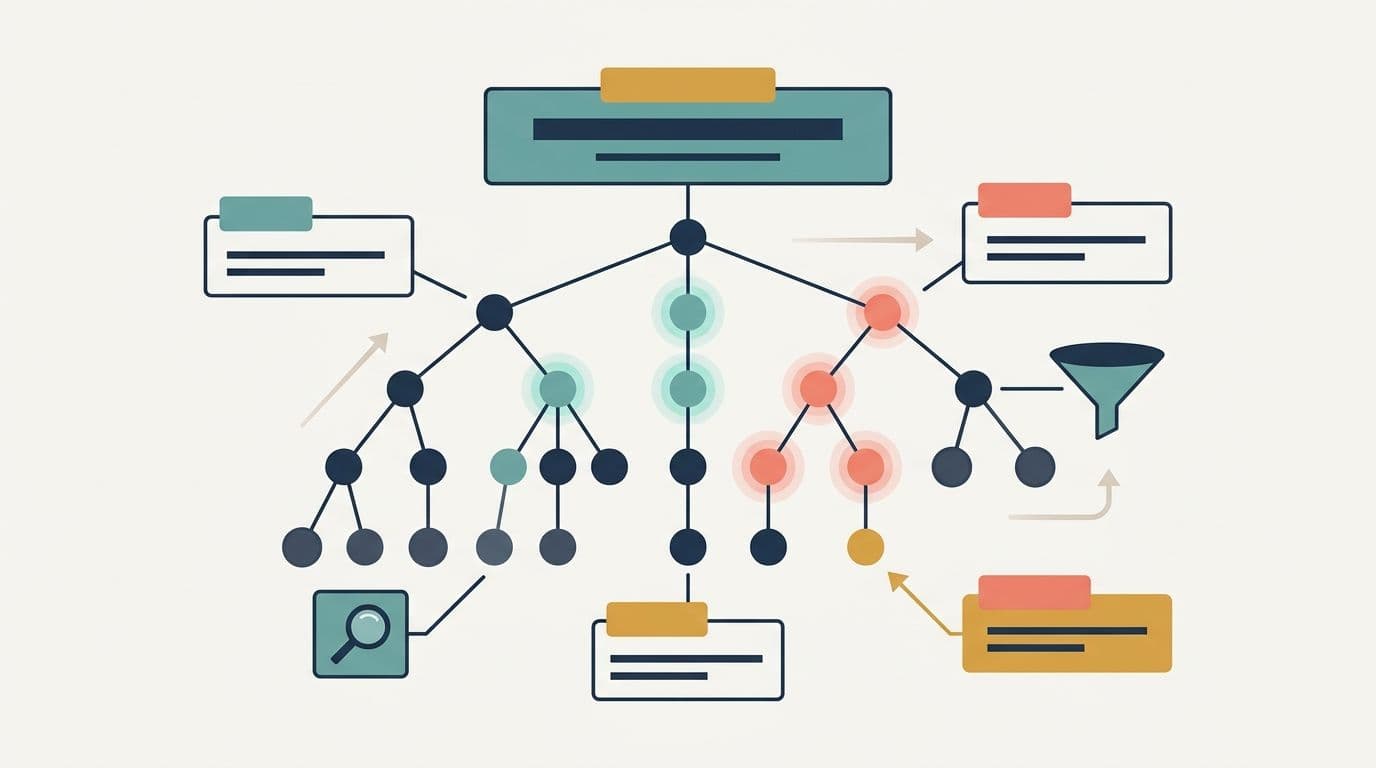
The anatomy of site noise
Consider a documentation site or a content-heavy blog with 10,000 total discoverable URLs. If you audit those URLs, the distribution usually looks something like this:
- 5%. 10% high-value content pages. the actual articles, product detail pages, or documentation you want. This is the signal.
- 90%+ structural and utility noise. pagination pages, tag and category archives, author profiles, date-based archives, search result pages, faceted-navigation permutations, privacy policies, cookie notices, and attachment pages.
Out of 10,000 URLs, perhaps 500 to 1,000 hold the text content you need for LLM context or database population. The rest is overhead. Map your own site's ratio before you assume the signal is high.
Rendering overhead
Here's where the money leaks. Extraction is the costly part of any crawl. Fully rendering JavaScript, waiting for the DOM to settle, parsing the HTML, and stripping boilerplate all consume compute and credits. When you run that heavy pipeline against the 90% of pages that are noise, you pay premium rates to convert a "Privacy Policy" page into Markdown you'll throw away.
You're not just paying for the 500 pages you want. You're paying for all 10,000. That's the 20x tax. Before your next big job, tally how multiple rendered pages you actually keep.
The rate-limiting and reliability risk
There's a second, non-monetary cost. Blind crawling hammers the target server with thousands of full page requests it never needed to serve. This aggressive footprint sharply raises the likelihood of:
- IP bans and CAPTCHA challenges
- HTTP 429 (Too several Requests) throttling
- Mid-job blocks that leave your dataset half-complete and your pipeline in an inconsistent state
A crawl that gets blocked at page 6,000 of 10,000 isn't just wasteful. It's unreliable. And unreliable pipelines are the ones that page you at 2 a.m. Add a discovery step so your server footprint stays small and safe.
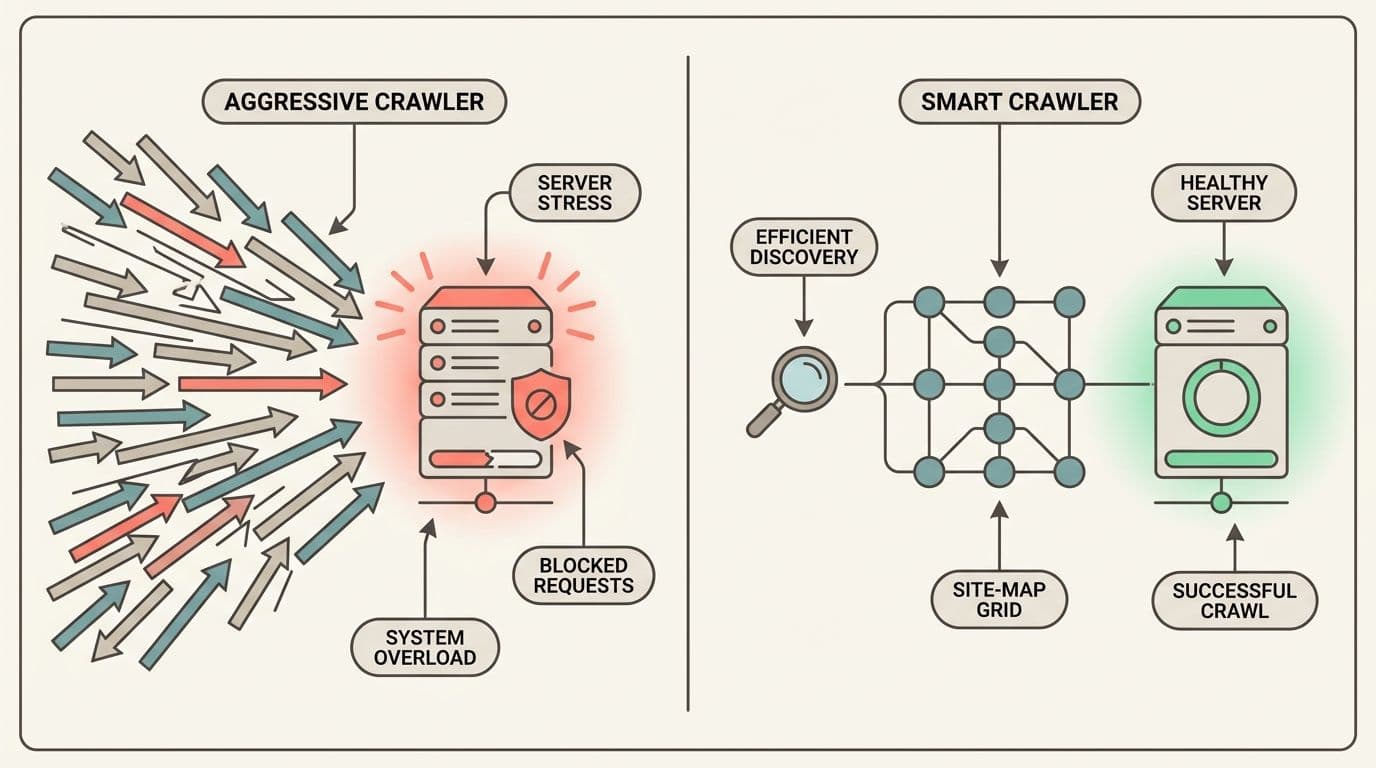
The fix is conceptually simple. Discover first, extract second.
Instead of rendering every page just to learn that it exists, you first build a lightweight inventory of the site's URLs. Then you filter that inventory down to only the high-value pages. Only then do you run the costly extraction against a clean, bounded list.
DataBlue implements this discovery phase through its Map workflow, exposed via the /v1/map endpoint. Mapping is fast and cheap because it deliberately avoids full page rendering. Instead, it discovers URLs by combining several lightweight signals:
sitemap.xmlparsing for fast, structured URL discovery. Most well-maintained sites publish a sitemap that already lists their canonical, high-value pages, often with helpful metadata likelastmodtimestamps.robots.txtanalysis to respect crawl directives and identify additional sitemap references.- Nimble link exploration to fill in gaps when a sitemap is incomplete or missing.
The output is a flat inventory of URLs, enriched with metadata such as the last-modified date and how each URL was discovered. You get this inventory without paying the heavy resource cost of rendering JavaScript for every page.
Think of it this way. Mapping is reading the table of contents. Extraction is reading every chapter. You wouldn't photocopy a whole library to find three books, you'd check the catalog first. Try running a Map call against a domain you already know.
Step-by-Step Implementation: Map, Filter, and Crawl
Let's walk through the optimized workflow in Python. The pattern is always the same. Map, filter, extract.
Step 1: Map the Target Domain
First, hit the Map endpoint to get your URL inventory. The important parameters here are the ones that keep discovery bounded and sitemap-aware.
from datablue import DataBlue# Initialize the DataBlue clientwith DataBlue(api_key="your_api_key") as client: # Discover URLs with mapping parameters result = client.map( "https://example-docs.com", limit=5000, include_subdomains=False, use_sitemap=True, respect_robots_txt=True )print(f"Discovered {result.total} total URLs")A response typically looks like a flat list of URL objects with discovery metadata:
{ "status": "success", "links": [ { "url": "https://example-docs.com/docs/getting-started", "lastmod": "2024-11-02", "source": "sitemap" }, { "url": "https://example-docs.com/blog/scaling-pipelines", "lastmod": "2024-10-18", "source": "sitemap" }, { "url": "https://example-docs.com/tag/announcements", "source": "link" } ]}A few notes on the parameters:
limitprotects you from surprises on massive sites. Set it deliberately.include_subdomainsis off by default here. Flip it on only when the content you need genuinely lives on subdomains (e.g.,help.example.com).use_sitemap: trueis what makes discovery both quick and high-quality. Sitemaps typically list canonical content and skip the junk.
This single call is cheap and returns in seconds, not the hours a full crawl would take. Run it once and inspect the raw inventory before moving on.
Step 2: Programmatically Filter and Clean the URL List
This is where the savings materialize. Now that you have the full inventory in memory, filter it down to only the pages that matter before spending a single credit on extraction.
import re# Access the flat list of URL strings directly via SDK shorthandall_urls = result.urls# Define your matching criteriaKEEP_PATTERNS = ("/docs/", "/blog/")DISCARD_PATTERNS = ( r"/page/\d+", # pagination r"/tag/", # tag archives r"/author/", # author profiles r"/category/", # category archives r"\?", # query strings r"\.(pdf|zip|png|jpg)$" # static assets)def is_high_value(url: str) -> bool: if not any(k in url for k in KEEP_PATTERNS): return False if any(re.search(p, url) for p in DISCARD_PATTERNS): return False return True# Filter the list down to our target audiencetarget_urls = [u for u in all_urls if is_high_value(u)]print(f"Filtered {len(all_urls)} URLs down to {len(target_urls)} targets")# Example output: "Filtered 4,120 URLs down to 215 targets"In one pass you've dropped from ~10,000 URLs to a few hundred. Every URL you removed here is a page you won't pay to render. This is the mechanical source of the 80%+ savings.
Make this step as sharp as you need. Dedupe by canonical path, filter by lastmod to grab only fresh docs, or bucket URLs by section for parallel jobs. Tune your keep and discard patterns until the target count feels right.
Step 3: Execute the Bounded Extraction
Now, and only now, do you run the costly extraction. Feed your clean list into DataBlue's Crawl API or run batch scrape calls against the exact URLs you selected.
payload = { "urls": target_urls, # bounded, pre-filtered list "formats": ["markdown"], "only_main_content": True # strip nav/boilerplate}resp = requests.post( f"{BASE_URL}/crawl", headers={"Authorization": f"Bearer {API_KEY}"}, json=payload, timeout=120,)job = resp.json()print(f"Extraction job started for {len(target_urls)} pages: {job['id']}")Because the job is bounded to a known set of high-value URLs, everything becomes predictable:
- Cost scales with the ~600 pages you want, not the 10,000 that exist.
- Runtime is deterministic. You know exactly how many pages you're processing.
- Server load on the target is minimized, sharply reducing block and rate-limit risk.
- Data quality improves because your database fills with articles and docs, not pagination stubs.
Explore the full extraction options in the DataBlue Crawl API documentation before you scale up.
Right Workflow, Right Task: When to Pivot to Search
Map-first is the correct pattern when you know the site but not the specific pages. The rule of thumb is easy to remember:
Known website, unknown page → Map, then scrape.
But there's a different situation worth calling out. What happens when you don't even know which domain holds the information you need?
Say you need "the three most authoritative articles explaining a specific regulatory change." Or "the official pricing page for five competitors." Here, mapping a domain doesn't help. You don't have a domain to map. Blindly crawling the open web is even worse than blind crawling a single site.
This is where you pivot from a website crawler API to a search-first workflow. Instead of discovering URLs from a sitemap, you discover them from search engine results. Then you scrape only the exact pages the search returned. You get pinpoint URLs for content that lives anywhere on the web, with none of the noise of a full crawl.
Combining targeted search results with language-model pipelines is one of the most effective ways to strip web noise from an AI workflow entirely. You retrieve only the handful of pages that matter, then feed clean content to your model. We cover this pattern in depth in our guide on integrating Google Search with LLMs.
The two workflows complement each other. Search finds the right domains and pages. Map finds the right pages within a known domain. Between them, you should almost never need a truly blind crawl. Pick the workflow that matches what you already know before you write a line of code.
Conclusion & Best Practices for Data Engineers
Mapping first is what separates a fragile, costly scraping script from a deterministic, cost-controlled data pipeline. By splitting discovery from extraction, you stop paying premium rendering fees for pages you were only ever going to discard. You turn an unpredictable overnight job into a fast, bounded operation you can reason about.
To recap the numbers. On a typical site where 90%+ of URLs are structural noise, filtering your inventory before extraction routinely cuts consumption by 80% or more. That's not a micro-optimization. It's a various cost curve entirely.
Quick rules of thumb
- Never crawl blind unless a site genuinely has no sitemap and no logical folder structure to filter on. That's the rare exception, not the default.
- Always map first, then filter your URL list before running any render-heavy extraction.
- Filter aggressively. Whitelist the content paths you want (
/docs/,/blog/,/products/) and blacklist known noise (pagination, tags, query strings, attachments). - Set strict depth and page limits on any crawl job as a backstop against surprises.
- Pivot to search when you don't know the domain, and pair it with your LLM workflow to keep context clean.
Blind crawling feels thorough. But "render everything and sort it out later" is the priciest way to build a dataset. Discover cheaply, filter ruthlessly, and extract precisely.
Ready to stop paying for pages you'll never use? Try the DataBlue Map workflow and turn your web data pipelines into predictable, cost-controlled operations today.