


Web scraping used to end the moment you had the HTML in hand. Today it's flipped. The fetch is the easy part now. The real work is turning a messy page into typed data that drops cleanly into a Postgres table or a React component without manual cleanup. Maybe you build competitive intelligence dashboards or lead enrichment tools. You already know the pain. This guide is about web scraping to json. Specifically, how to skip the brittle selector code and the hallucinated LLM output and go straight to a strict, validated schema.
The Developer's Pain Point
For years the standard playbook was simple. Fetch the page, write CSS selectors, and pray the layout never changes. It always changes. A marketing team ships a redesign, a div.price-tag > span becomes div.pricing__amount, and your scraper silently returns null for a week before anyone notices the data went stale.
The second-generation fix was to hand the whole page to a large language model. Dump the raw text into a prompt, add "return this as JSON," and let the model figure it out. This feels magical in a demo. It falls apart in production. You get markdown-wrapped code fences (```json), invented keys, and price returned as the string "$19.99" instead of a float. None of that survives contact with a database that expects a numeric column.
The modern answer is a declarative, schema-first approach. Rather than describing what you want in prose, you define the exact shape of the data you expect. Types, required fields, and constraints all get forced on the extractor. This article covers how to design those schemas and why strict validation keeps your app from crashing. Try running structured extraction through the DataBlue Scrape API to see it work.

### The Old Way: Hardcoded Selectors
Tools like BeautifulSoup and Puppeteer are excellent at what they do. But selector-based extraction ties your pipeline directly to a site's DOM structure. Every site you scrape becomes a small maintenance contract. Multiply that across fifty sources. You've built a full-time job maintaining code that produces zero business value when it works and pages your on-call engineer when it doesn't. Audit your current scrapers and count how many break each quarter.
The Transitional Way: HTML to Markdown to LLM
Converting HTML to clean markdown and feeding it to an LLM is a real improvement in resilience. Markdown doesn't break when a class name changes. But it introduces two hidden costs. First, you pay tokens for entire pages of boilerplate the model has to read before it finds the three fields you actually want. Second, the output is unconstrained, so you inherit all the post-processing headaches. You strip code fences, retry malformed JSON, and write defensive parsing logic to catch the model's inventive interpretations of your prompt. Before you commit to this path, measure your token spend on a single long page and multiply it out.
The Modern Way: Structured Web Scraping
Structured web scraping flips the order of operations. You define a target data structure using JSON Schema before the scrape runs. The extraction layer is constrained to output typed JSON that matches your spec exactly. There's no prose prompt to misinterpret. There's no markdown wrapper to strip.
When you want to extract json from html, you describe the destination shape and let the tooling guarantee it. That's the entire premise of a json schema web scraper. The schema is the contract, and the output either satisfies it or the request tells you it couldn't.
Start by sketching the destination shape for one target site and let that guide your build.
Why Text-Prompts Fail: The Anatomy of "LLM Hallucinations" in JSON
The core mismatch is philosophical. Databases are deterministic systems. A column is a float or it isn't. An array holds strings or it rejects the write. Language models are non-deterministic by design. They sample from a probability distribution. That's what makes them good at understanding messy human-authored pages and what makes them drift when you need strict output.
Naive JSON generation fails in a handful of predictable ways:
- Truncated objects. On a long product page, the model runs out of context or output budget and closes the JSON early, leaving you with a syntactically broken response.
- Invented keys. You asked for
company_nameanddomain. the model helpfully addscompany_sloganbecause it saw one on the page. Now your ingest step has a key it wasn't expecting. - Type confusion.
nullcomes back as the literal string"null". A boolean arrives as"yes". A number arrives with a currency symbol attached. - Missing required fields. The model simply omits a field it couldn't find rather than telling you it's absent.
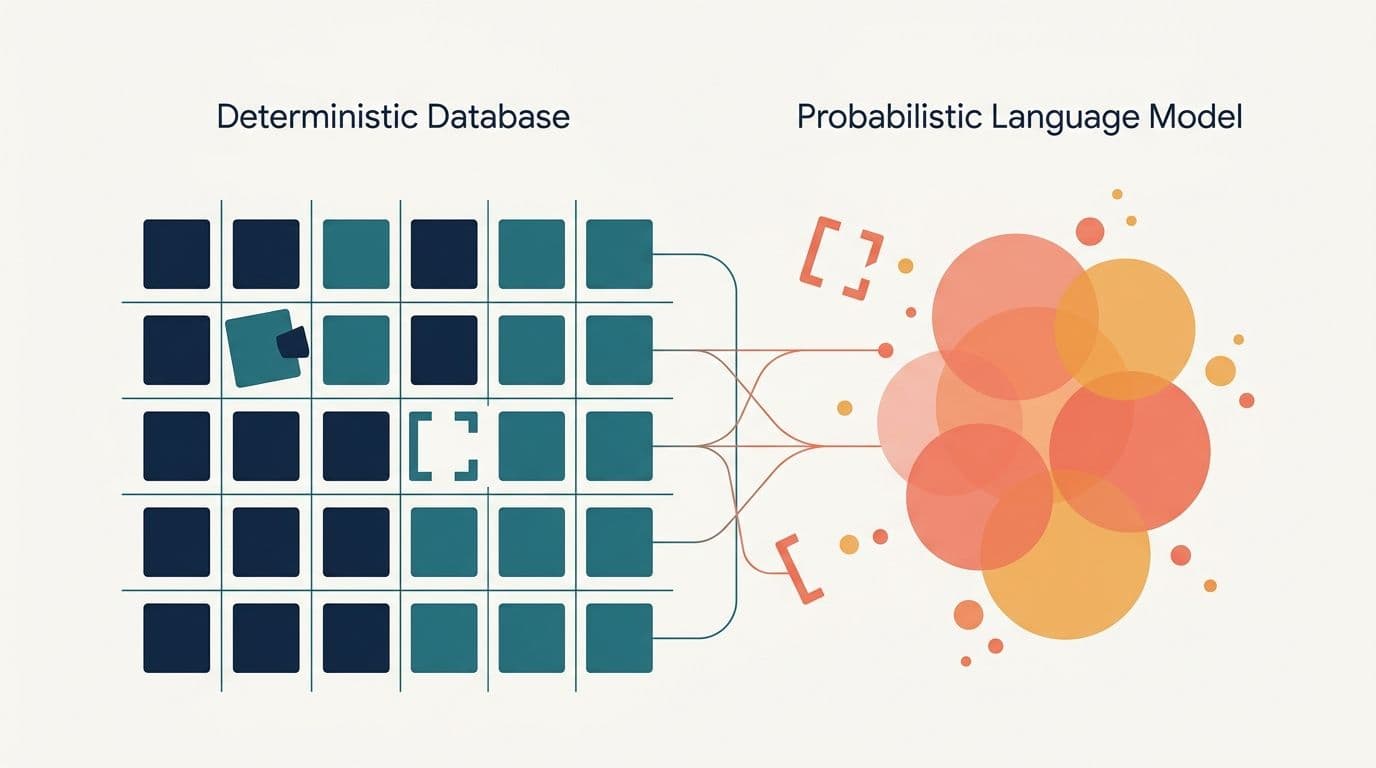
The fix is strict mode. You constrain the decoding process so the output is guaranteed to conform to a JSON Schema. Rather than hoping the model behaves, you make non-compliant output structurally impossible. This is what separates reliable llm structured extraction from a prompt-and-pray script. Flip your extractor into strict mode before your next production run.
Designing a Strict JSON Schema for Your Target Data
JSON Schema has several draft revisions. Draft 7 and the newer 2020-12 draft are the two you'll meet most often. Both are well supported across validation libraries. For extraction work, you only need multiple concepts to get enormous power.
typedefines whether a field is anobject,array,string,number,integer, orboolean. This is your first line of defense against type confusion.requiredlists the fields that must be present. If the extractor can't populate a required field, you find out immediately instead of three tables downstream.additionalProperties: falseis the single most important setting for extraction. It tells the extractor that no keys outside your schema are allowed, which shuts down hallucinated fields entirely.
Here's a full schema for a company profile. It's the kind of thing you'd build for a lead enrichment pipeline:
{ "$schema": "https://json-schema.org/draft/2020-12/schema", "type": "object", "properties": { "company_name": { "type": "string", "description": "The official registered or brand name of the company" }, "domain": { "type": "string", "description": "Primary web domain, e.g. datablue.dev" }, "employee_count": { "type": ["integer", "null"], "description": "Approximate number of employees, null if not stated" }, "industries": { "type": "array", "items": { "type": "string" }, "description": "List of industries or verticals the company operates in" }, "founded_year": { "type": ["integer", "null"], "description": "Four-digit year the company was founded" } }, "required": ["company_name", "domain", "industries"], "additionalProperties": false}Notice how employee_count and founded_year use a union type of ["integer", "null"]. That's a deliberate design choice. Some pages won't list those facts, and you'd rather receive an honest null than a hallucinated guess. The description fields aren't decorative either. They guide the extraction model toward the right value when a page is ambiguous. Draft your own schema now and mark every uncertain field as nullable.
Step-by-Step: Extracting Structured JSON using DataBlue
DataBlue's Scrape API combines crawling, JavaScript rendering, and schema validation in a single request. You send a URL and a json format that carries your schema. It returns typed fields matching that schema. No markdown backticks, no cleanup. To see how this works in production, test JSON schema extraction directly via the DataBlue Scrape API.
The endpoint is POST https://api.datablue.dev/v1/scrape. The surface is Firecrawl-compatible. So if you already have an integration pointed at another provider, migrating is usually just a base URL and API key swap.
Python Example
import requestsschema = { "type": "object", "properties": { "company_name": {"type": "string"}, "domain": {"type": "string"}, "employee_count": {"type": ["integer", "null"]}, "industries": {"type": "array", "items": {"type": "string"}}, "founded_year": {"type": ["integer", "null"]}, }, "required": ["company_name", "domain", "industries"], "additionalProperties": False,}response = requests.post( "https://api.datablue.dev/v1/scrape", headers={ "Authorization": "Bearer wh_...", "Content-Type": "application/json", }, json={ "url": "https://example.com/about", "formats": ["json"], "jsonOptions": {"schema": schema}, },)data = response.json()print(data["data"]["json"])Node.js Example
const schema = { type: "object", properties: { company_name: { type: "string" }, domain: { type: "string" }, employee_count: { type: ["integer", "null"] }, industries: { type: "array", items: { type: "string" } }, founded_year: { type: ["integer", "null"] }, }, required: ["company_name", "domain", "industries"], additionalProperties: false,};const res = await fetch("https://api.datablue.dev/v1/scrape", { method: "POST", headers: { Authorization: "Bearer wh_...", "Content-Type": "application/json", }, body: JSON.stringify({ url: "https://example.com/about", formats: ["json"], jsonOptions: { schema }, }),});const { data } = await res.json();console.log(data.json);The response comes back clean and typed. It's bundled with the metadata DataBlue attaches to every scrape:
{ "success": true, "data": { "json": { "company_name": "Acme Analytics", "domain": "acme-analytics.com", "employee_count": 240, "industries": ["Data Infrastructure", "Business Intelligence"], "founded_year": 2016 }, "metadata": { "title": "About Acme Analytics", "status_code": 200, "word_count": 1204 } }}No code fences to strip, no retry loop for malformed output. DataBlue races a fast HTTP fetch against a full browser render. It returns whichever comes back valid first. So JavaScript-heavy pages resolve without you choosing a mode up front. A request that returns no data doesn't cost you a credit. Copy one of these snippets and fire it at a real page to watch it resolve.
Best Practices for Validating and Handling JSON in Production
Validate at Your Application Boundary
Even with a strict API contract, validate again the moment data enters your system. It costs almost nothing. It catches schema drift, partial responses, and the rare edge case before it corrupts a table. In Python, wrap the response in a Pydantic model:
from pydantic import BaseModelfrom typing import Optionalclass CompanyProfile(BaseModel): company_name: str domain: str employee_count: Optional[int] industries: list[str] founded_year: Optional[int]profile = CompanyProfile(**data["data"]["json"])In TypeScript, Ajv gives you the same guarantee by validating directly against the JSON Schema you already wrote. One schema, two enforcement points. Wire this check into your ingest path today.
Handle Missing Fields Gracefully
When a fact genuinely isn't on the page, you want a clean null. Not an error and not a hallucination. Model that explicitly with nullable union types (["integer", "null"]). Keep truly optional fields out of your required array.
This distinction between required and nullable is what lets you tell "the scraper failed" apart from "the data doesn't exist." Those are very different problems with very various fixes. For dynamic, JS-rendered elements or pages behind bot checks, lean on the rendering that's already built in. DataBlue handles JavaScript rendering and proxy rotation inside the same request. So a page that needs a full render to expose its content still returns valid structured JSON.
Audit your schema and move every "nice to have" field out of required before you deploy.
Preserve Source Metadata
Extracted facts are only half of a trustworthy dataset. Always store the provenance alongside them. Keep the original URL and a crawl timestamp. DataBlue returns status_code, title, and word_count in the metadata block of every response, so you get most of this for free.
Append your own capture timestamp on ingest. Now you have full data lineage. When a competitor's price looks wrong three weeks from now, you can point to the exact page and moment it came from. Then audit whether the site changed or your pipeline did. Add a provenance column to your table schema before your next crawl.
Real-World Use Cases: Where This Stack Shines
Lead enrichment. Point the extractor at a prospect's "About Us" and "Contact" pages. Define a schema for the fields your CRM needs, and update records automatically. No copy-paste, no interns transcribing employee counts. Because the output is validated, you write it straight to your CRM's API without a human review step. Set one up and let it run overnight.
Competitor and price intelligence. Schedule a weekly scrape of competitor pricing pages. Diff the structured results to produce automated delta reports. This only works if the data structure is 100% reliable. A single malformed row makes every delta suspect. Strict JSON Schema is what makes the automation trustworthy enough to alert on. Pick one rival and schedule your first weekly diff.
Product aggregation. Pull specs and pricing from dozens of retailers into one normalized schema. Your UI then renders from a single consistent shape regardless of how wildly the source pages differ. Map your target retailers to a single schema and start with three of them.
Maybe your pipeline relies on scraping search engine results before diving into target websites. Check out our guide on how to parse Google search JSON with PHP to structure your discovery phase. Then feed those URLs into the schema extraction flow described here.
Conclusion & Next Steps
Moving from selector-based scrapers to schema-first extraction changes the economics of your entire pipeline. You stop maintaining brittle DOM code. You cut LLM token costs by asking for exactly the fields you need instead of parsing whole pages. You make your data reliable enough to automate against. The schema becomes a single source of truth that enforces types at the scrape, validates at your application boundary, and documents your data contract all at once.
The fastest way to feel the difference is to run one against a real page. Sign up for DataBlue, grab your API key, and get 1,000 one-time credits to test your first strict JSON Schema extract. You go from a URL to typed, validated data in under five minutes. Define the shape you want, send the request, and let the schema do the enforcing.