

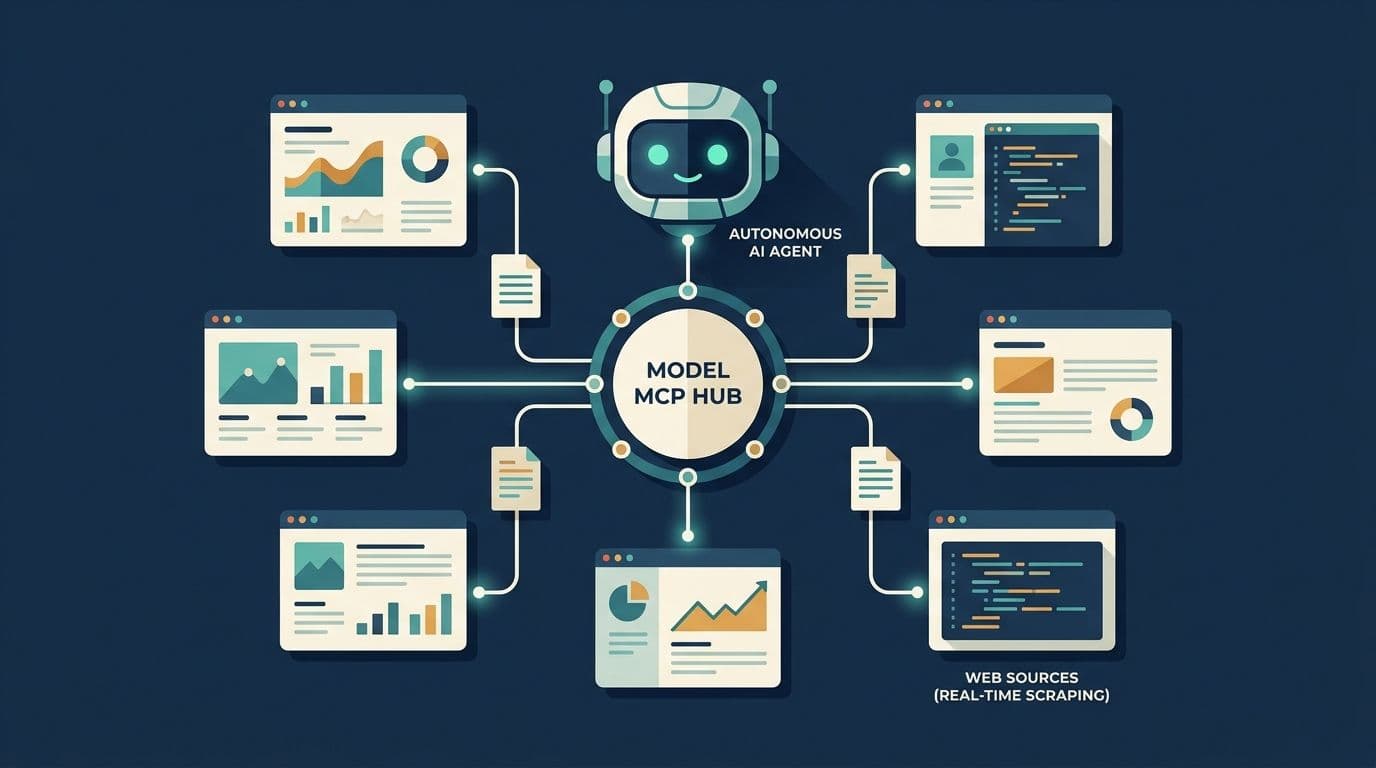
Autonomous AI agents are only as good as the context they reach. You can wire up the smartest reasoning loop in the world. But if your agent works from stale training data or a hardcoded knowledge base, it's guessing about anything after its cutoff. Real decisions need real-time web access, whether that means comparing live pricing or summarizing a competitor's launch.
The trouble is how we've traditionally handed agents that access. For years, developers burned hours writing bespoke Python or TypeScript middleware. That meant wrestling with scraping APIs and hand-rolling HTML parsers. It's glue code you rewrite on every repo. And it rots fast.
Anthropic's Model Context Protocol (MCP) changes the equation. Think of it as a universal "USB-C port" that connects LLMs directly to external data and tools. With DataBlue's native MCP server (@datablue/mcp), you skip the integration middleware entirely. You give Claude, OpenAI-style agents, or a local LLM the autonomous ability to search, crawl, and perform web scraping for ai agents, all returning clean, token-efficient Markdown. This is exactly why developers building production-grade AI agents with live web access are walking away from legacy scraping approaches.
The Friction of Traditional Web Scraping for AI Agents
Ever tried to bolt scraping onto an agent by hand? These pain points will feel familiar. Let's walk through the worst of them.
The token bloat problem
Raw HTML is mostly noise. A single page is stuffed with <script> tags, navigation menus, cookie banners, and footer link farms. When you shove that raw markup into a model's context window, you're paying, literally per token, to have the LLM read boilerplate it doesn't need. Context windows fill up. Costs spike. The actual signal drowns in a sea of div soup. Trim the markup before it ever hits your model.
The integration tax
Letting an agent browse takes more than a scraper call. You write a wrapper function around it. Then you write retry and timeout logic because scrapers fail. Then you write parsing code to strip the HTML down to something useful. Then you hand-author the tool schema, OpenAI's tools array, or the equivalent function-calling definition.
That way the model knows the function exists and when to invoke it. Multiply that by every project. You've built a small library you now maintain forever. Push that maintenance burden off your plate by standardizing the layer.
The orchestration nightmare
Single-page scrapes are the easy case. Real agentic workflows are messier. What happens when the agent scrapes 15 pages in parallel? Or kicks off an asynchronous deep crawl of a documentation site?
Suddenly you're managing concurrency and job state inside your agent's core reasoning loop. That state-management complexity leaks everywhere. And it's brittle.
You feel it most when a job hangs and the whole loop stalls. The polling logic tangles with your prompts. Debugging becomes a headache of interleaved state.
Move that orchestration into a dedicated server and your reasoning loop stays clean.
What is MCP and Why Does It Standardize Tool-Use?
MCP is an open standard for connecting tools to AI agents. Instead of every developer inventing their own integration layer, MCP defines a common protocol. Any compatible client talks to any compatible tool server. Start by picking a client that already speaks it.
The architecture, simplified
The model has three roles:
- Client: The LLM application. This is Claude Desktop, Cursor, Cline, or your own custom agent runtime.
- Server: A local or remote process, like
@datablue/mcp, that exposes a set of predefined tools. It typically runs overstdio(standard input/output for local processes) or HTTP. - Host: The environment orchestrating the two, passing tool calls from the model to the server and results back.
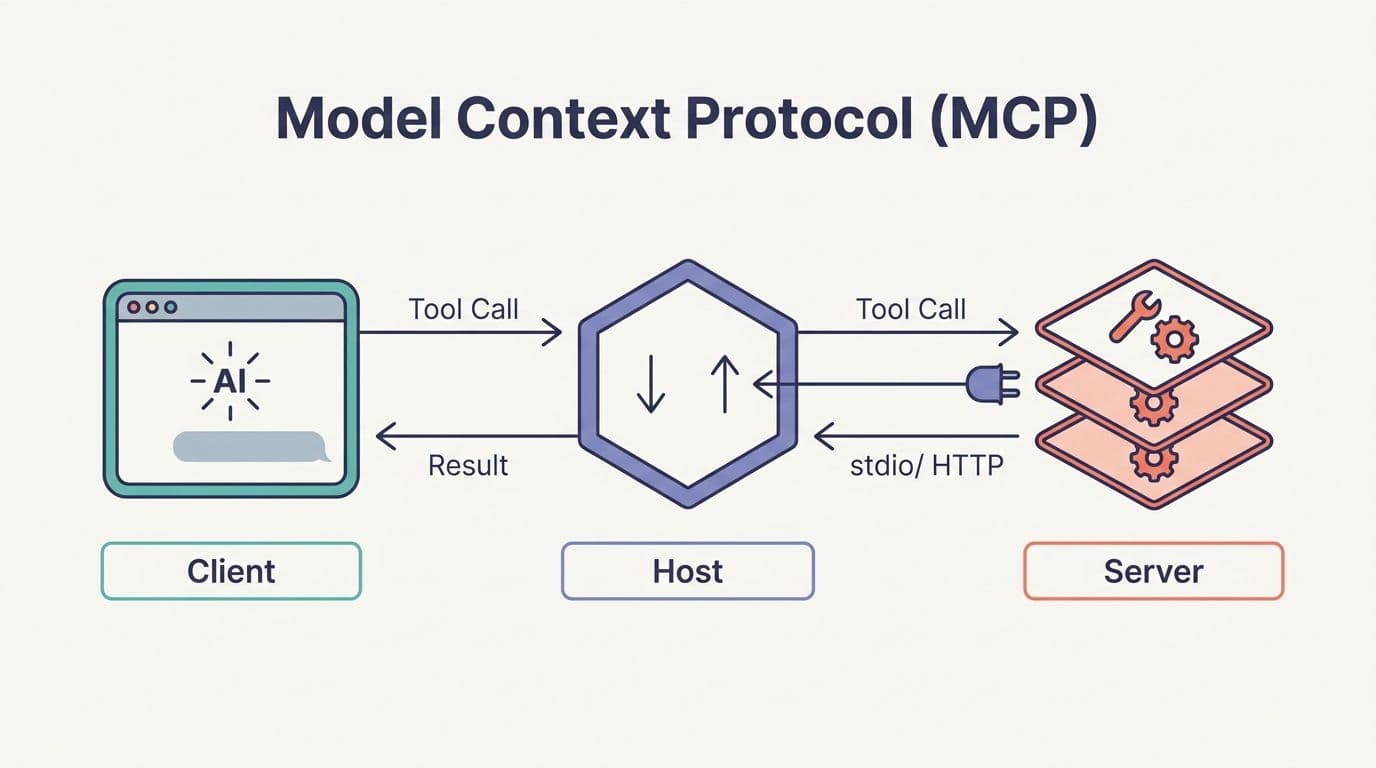
Your agent talks to the client. The client talks to the server over MCP. The scraping logic lives entirely in the server, out of your codebase. Map these roles once and the rest falls into place.
Protocol-driven capability discovery
Here's the part that kills the integration tax. When an MCP-compatible agent boots up, it queries the server for a list of available tools. The server responds with each tool's name, description, and input schema. The agent now knows exactly what it does and when, with zero hardcoded glue code on your side.
You don't write the tool schema. You don't register functions. The server advertises its own capabilities, and the model picks them up automatically. Trust the protocol to handle discovery for you.
The semantic advantage
MCP isn't only about invoking functions. Servers also expose prompts and resources, reusable guidance that tells the LLM how to fetch and interpret data for a given workflow. A server ships best-practice reasoning chains alongside its raw tools. The agent gets architectural direction, not just a pile of endpoints. Lean on those bundled prompts to skip the trial-and-error phase.
DataBlue's Native MCP Server: The Web-Data Layer
@datablue/mcp is a scraper-first toolset. Point any MCP-compatible client at it, and your agent instantly gains a full belt of web tools, nine tools from a single server, with no custom integration layer to build or maintain (datablue.dev/use-cases/ai-agents).
Why clean Markdown is the killer feature
DataBlue returns clean Markdown and typed JSON instead of raw HTML. It strips the navigation, ads, and scripts, then hands back neatly formatted headings, lists, and tables. Because agents pay for every token they read, this keeps the context window focused on signal rather than boilerplate. It's the difference between feeding your model a tidy article and dumping a view-source mess on its desk. Wire this in first if token cost is your headache.
The core tools exposed to your agent
datablue_scrape_url. Grabs a single URL and converts it to Markdown or JSON (or captures a screenshot). Your bread-and-butter single-page read.datablue_search_google. Returns live Google results, so an agent searches when it doesn't already know the target URL.datablue_batch_scrape. Scrapes up to 20 URLs in a single call, so the agent doesn't have to loop and manage concurrency itself.datablue_map_site. Discovers a site's URLs, giving the agent a footprint before it commits to reading anything.datablue_start_crawl. Executes bounded, whole-site multi-page extraction autonomously.datablue_get_job_status. Polls a running crawl or search job so long-running work stays manageable.datablue_extract. Pulls structured fields from a page using a single prompt.datablue_list_data_apisanddatablue_run_data_api. Browse and execute DataBlue's Data API catalog, exposing commerce and quick-commerce data sources as tools without a separate integration for each.
Discovery and extraction live behind the same API key. That's exactly the pattern tool-using LLMs are built for. Search the web, pick a result, read the full page, all in one reasoning loop. Grab a key and try a single scrape to see the flow.
Step-by-Step: Giving Your Agent Web Access in 2 Minutes
Enough theory. Here's how to give any MCP client the ability to scrape a website for an ai agent in about the time it takes to restart your app.
Step 1: Run the server
You don't need to install anything globally. The server runs on demand via npx:
npx --yes --prefer-online @datablue/mcp@latest--prefer-online ensures you pull the latest published version, so you're always running current tooling. Run it once to confirm the process starts cleanly.
Step 2: Add the integration config
Drop this JSON block into your MCP client's config. That's claude_desktop_config.json for Claude Desktop, or the equivalent MCP settings panel in Cursor or Cline. Then inject your DATABLUE_API_KEY:
{ "mcpServers": { "datablue": { "command": "npx", "args": ["--yes", "--prefer-online", "@datablue/mcp@latest"], "env": { "DATABLUE_API_KEY": "YOUR_API_KEY" } } }}Restart the client. Your agent gains the full set of web tools on the next boot. (Codex uses an equivalent TOML block, see the DataBlue docs for that variant.) Double-check the key is set before you restart.
Step 3: See it in action
Suppose a user asks your agent:
"Who are the speakers at this conference?". and pastes a URL.
Here's the flow, with no code from you:
- The agent recognizes it needs live page content and selects
datablue_scrape_url. - It calls the tool with the URL, mid-reasoning, exactly like any other function.
- DataBlue returns clean Markdown, the speaker section formatted as headings and lists, no nav bars or scripts.
- The model reads the structured content and synthesizes the answer.
No middleware. No custom parser. No hand-authored tool schema. The agent decided when to scrape and got grounded results back. Try this exact prompt against a live URL to watch it work.
Beyond Basic Scrapes: Advanced Agentic Workflows
Once your agent has the full tool belt, it orchestrates multi-step patterns on its own. Here are two worth building into your setup.
The "map-then-scrape" pattern
Instead of blindly crawling an entire documentation site, a smart agent runs datablue_map_site first to get the full footprint of URLs. It then filters that list down to the pages that actually matter, say the API reference and the auth guide. Then it fires off datablue_batch_scrape to pull only those in a single call. This is far cheaper and faster than crawling everything, and the agent reasons its way there without orchestration code from you. Set a tight filter and you'll cut costs even further.
Tapping specialized data APIs
For structured sources, general scraping is overkill. When an agent needs tidy records like Google results or commerce catalogs, it calls datablue_list_data_apis to discover what's available. Then it runs datablue_run_data_api to execute a specific one by ID.
That gives it typed, ready-to-use data without a bespoke integration per source. DataBlue even ships prebuilt MCP prompts for common workflows like company research and competitor SERP reports. Browse the API catalog first to see which sources fit your use case.
Conclusion
Writing custom web scraping wrappers for your LLMs is a legacy pattern. The future is protocol-first, and MCP is the new standard for connecting agents to the live web. DataBlue's MCP server bridges the gap between raw web scraping and LLM-friendly Markdown. You stand up robust web scraping for ai agents in minutes instead of weeks, with no glue code and no parsing headaches.
Sign up for DataBlue, grab your API key, and run @datablue/mcp to give your agents live web access today.